
For Admins
Create a Poll or Vote 📊
A vote between multiple options can be set up elegantly in Gumb using existing building blocks - no extra tool needed.
Here's how to set up a poll:
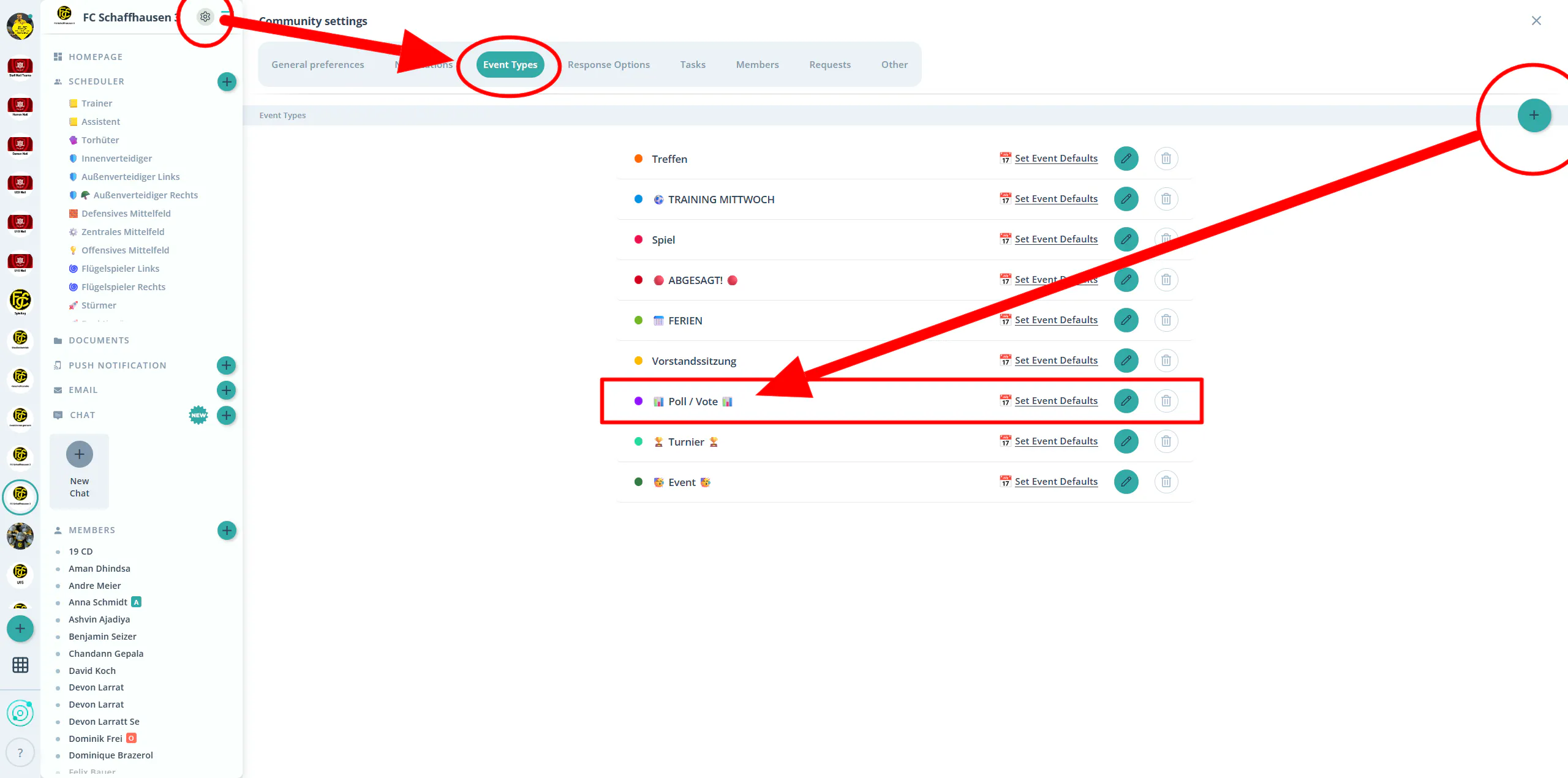
- Directly in the "Event Types" tab under Community Settings (⚙), create a new event type with the name "Poll 📊" (more details in Create Event Types 🎫).
- Go to the scheduler (Scheduling in Gumb 🗓️) and create an event with a fitting name (e.g., "Movie Night Vote 🎬"), select the "Poll" event type, and set the date you want.
- Use your existing response options in the event description as the choices, for example, "Yes = Movie 1", "No = Movie 2".
- You can also use the Email Feature 📧 to select the event, add the same explanation to the message, and include the event link (copyable via the three dots on the event) directly.
Community Settings > "Event Types" tab with the "+" button highlighted and the example entry "Poll 📊".
Done!
Your scheduler will then show at a glance how your members voted.
Questions?
Reach out at support@gumb.app, use our contact form or visit our help centre at gumb.app/en/support.