
Everything coordinated. Everyone informed.
Plan events, see who is coming in real time and reach everyone.
Runs on Web, iOS and AndroidNo credit card required

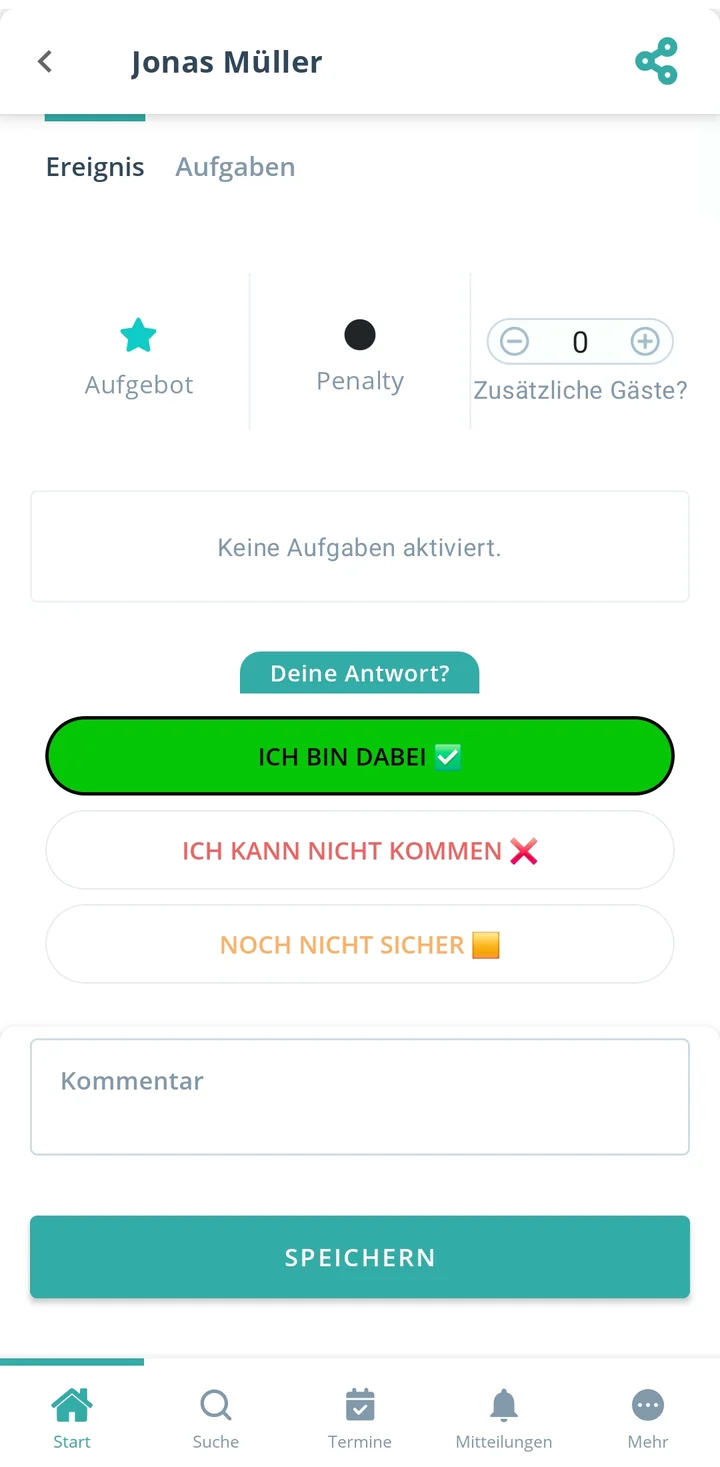
How Gumb works
Organizers plan at their computer. Invitees reply on the go. Gumb connects both.
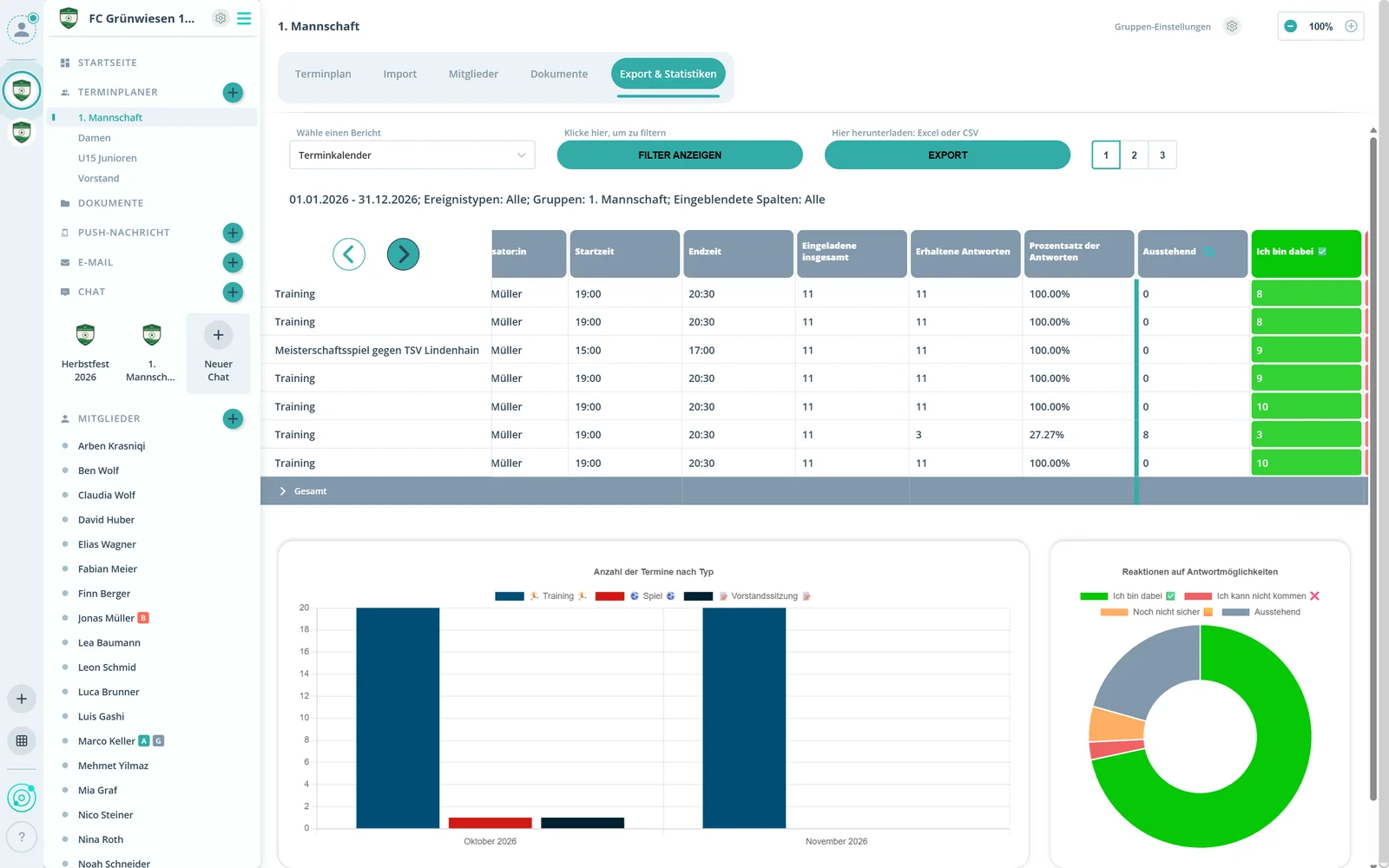
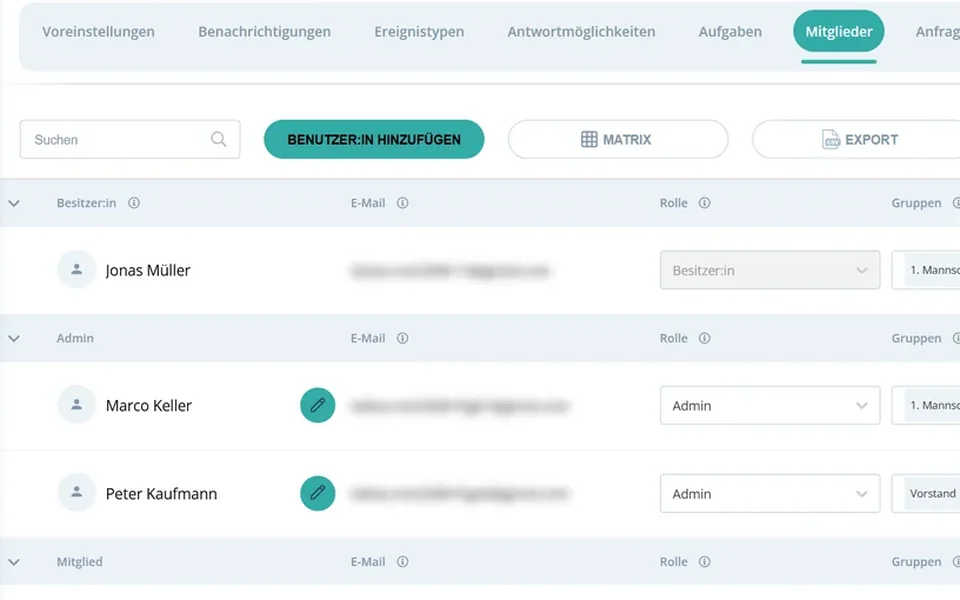
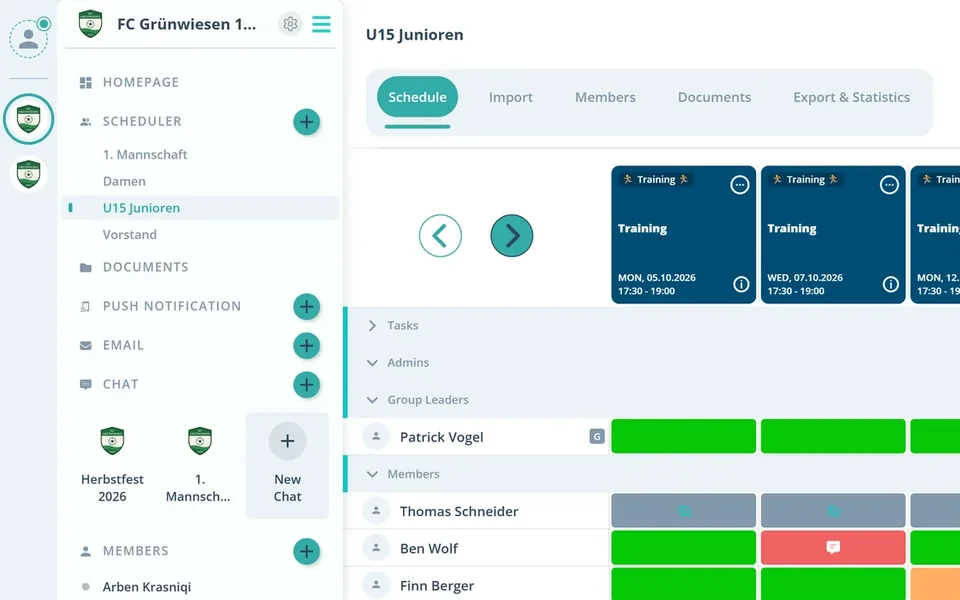
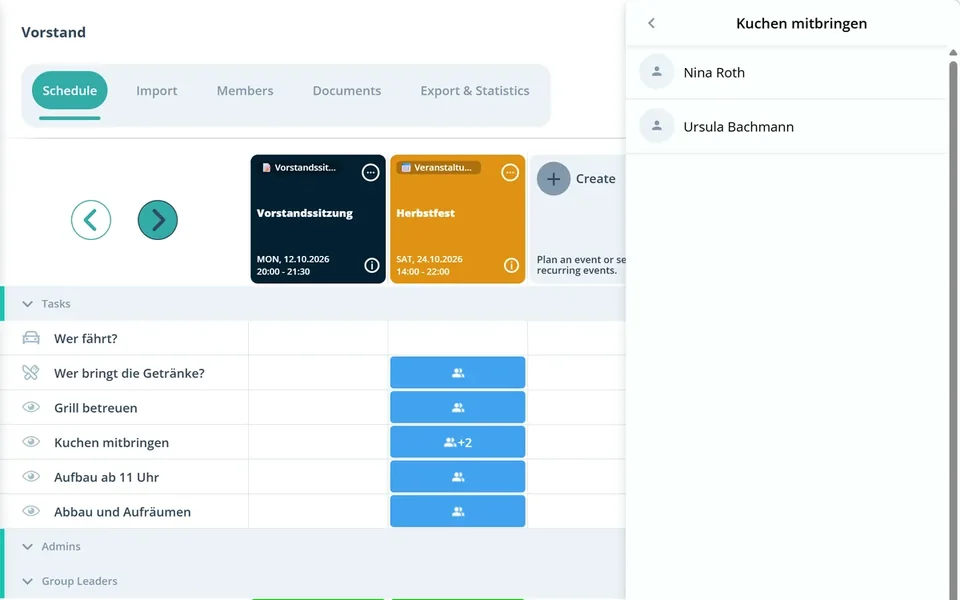
Create events and series, invite groups, set your own event types such as meeting, assembly or shift.
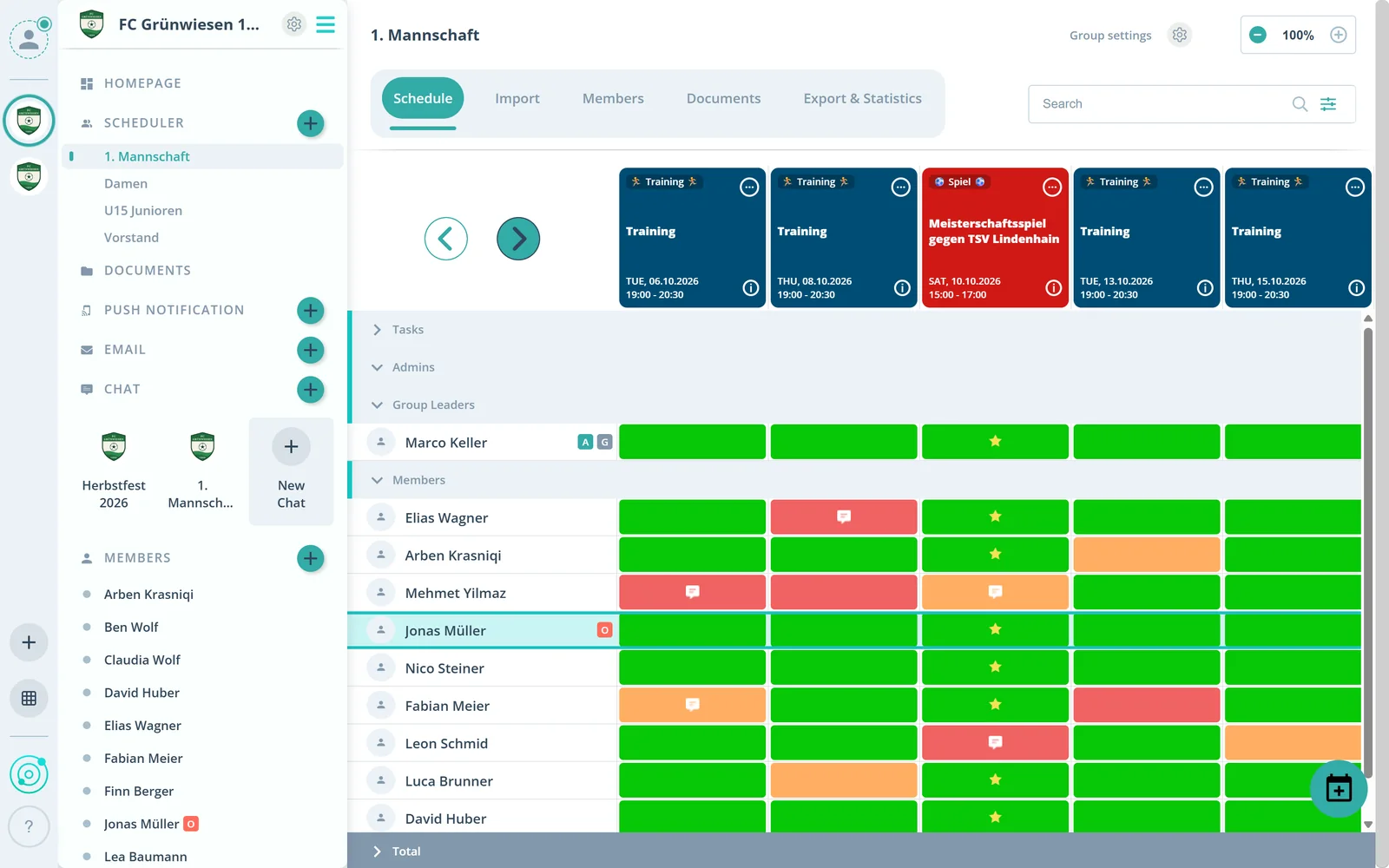
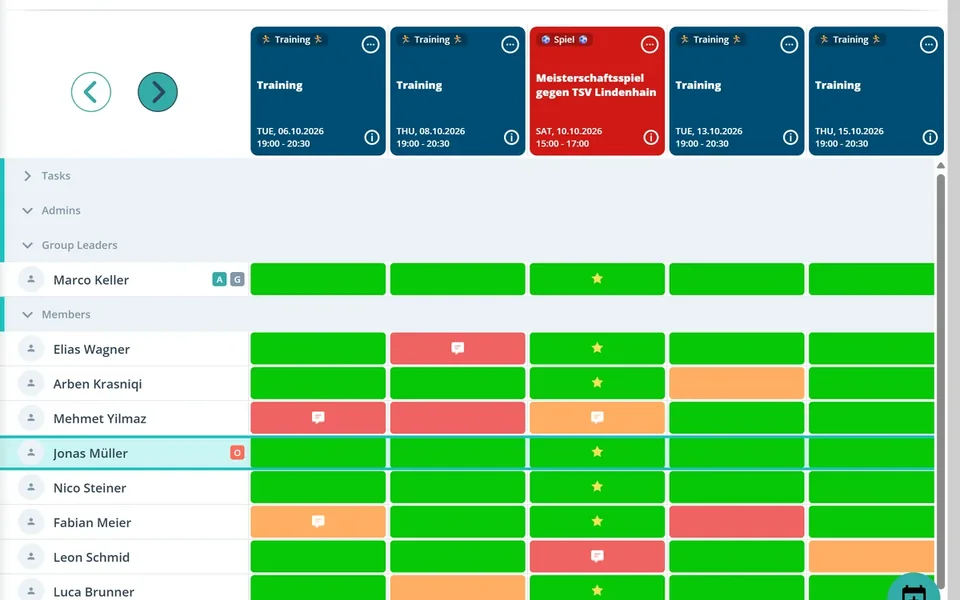
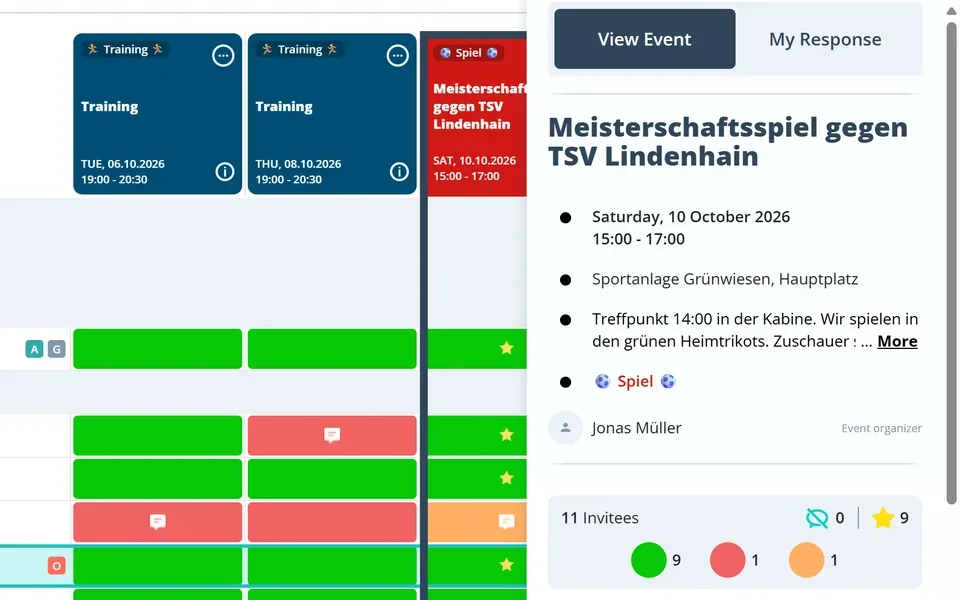
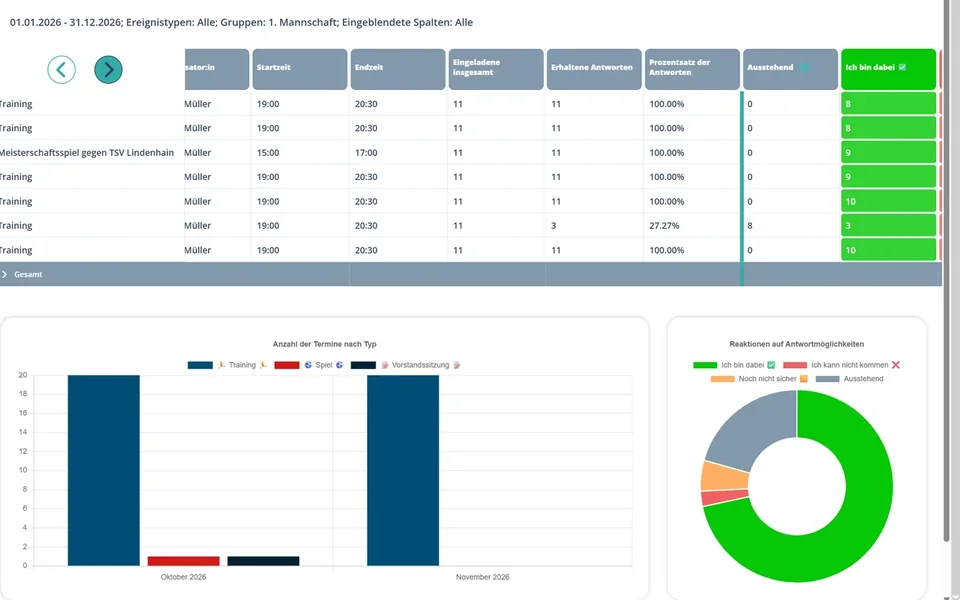
See replies live, per event and per group. Too few people coming? You know days ahead.
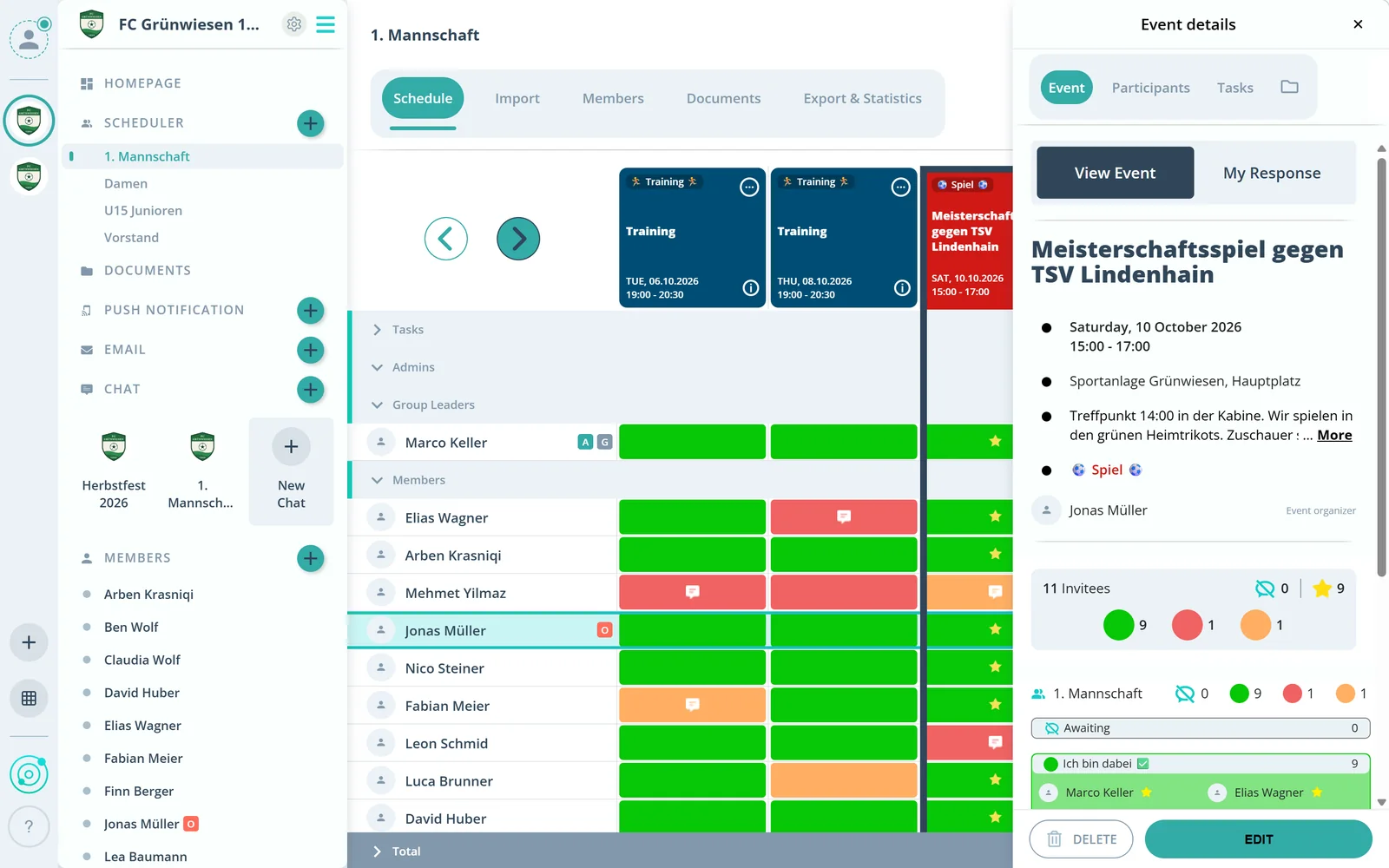
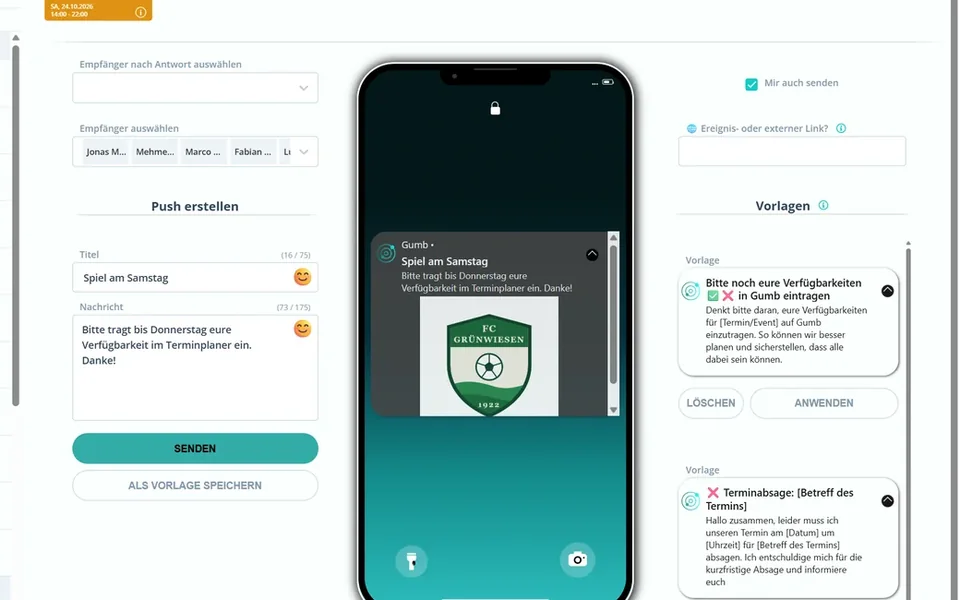
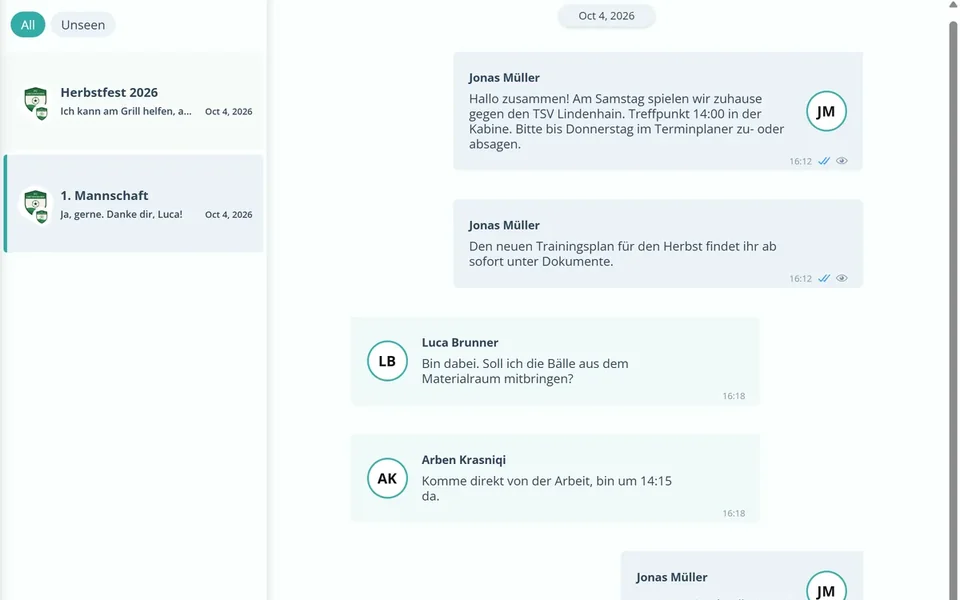
Push, email and chat to everyone or to individuals. Reminders go out automatically.
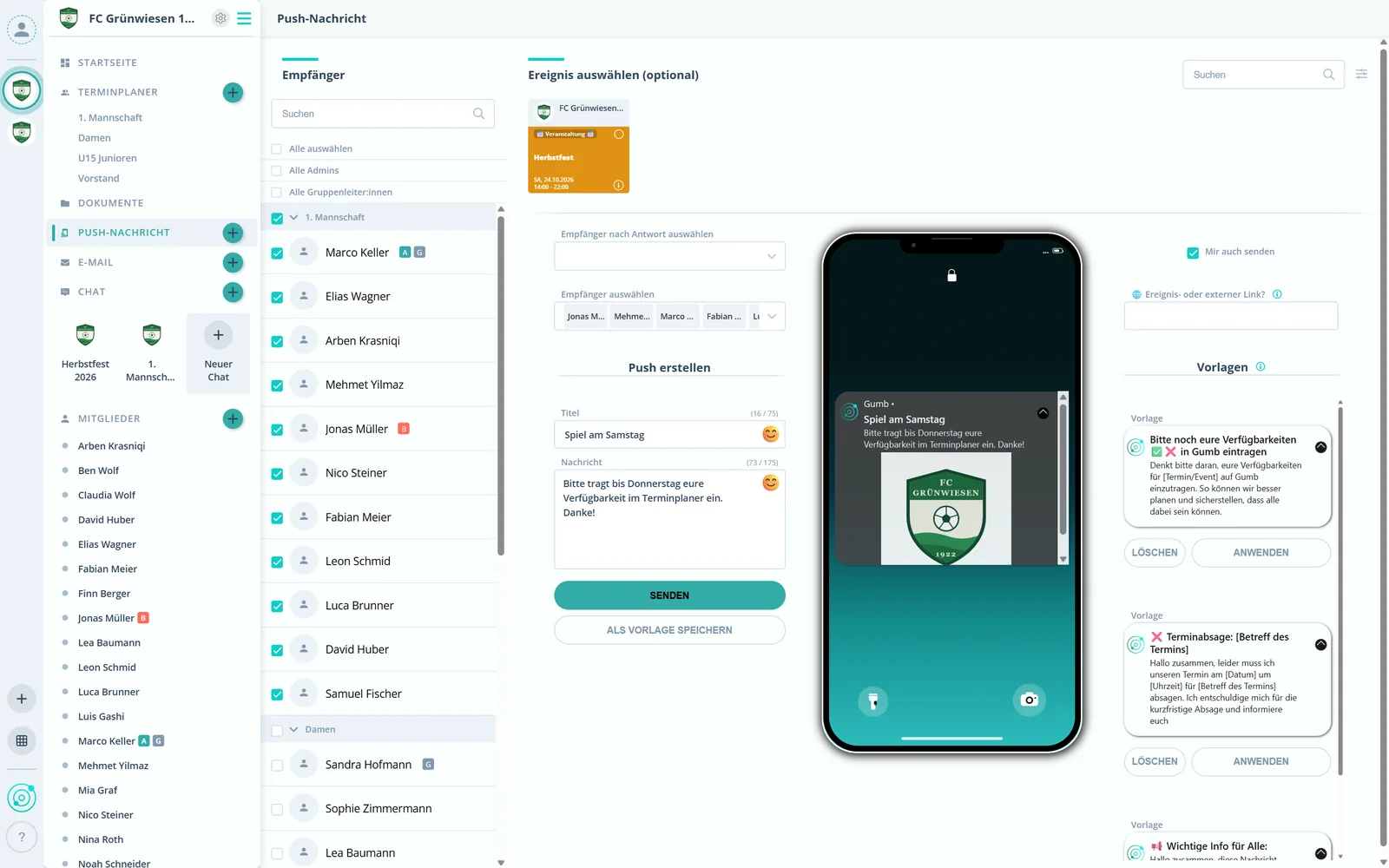
Attendance per member and period, exported in one click.
All events at a glance, on your phone or in the browser.

Accept or decline with one tap. Everyone knows who is coming.
New events, changes and messages arrive by push and email.
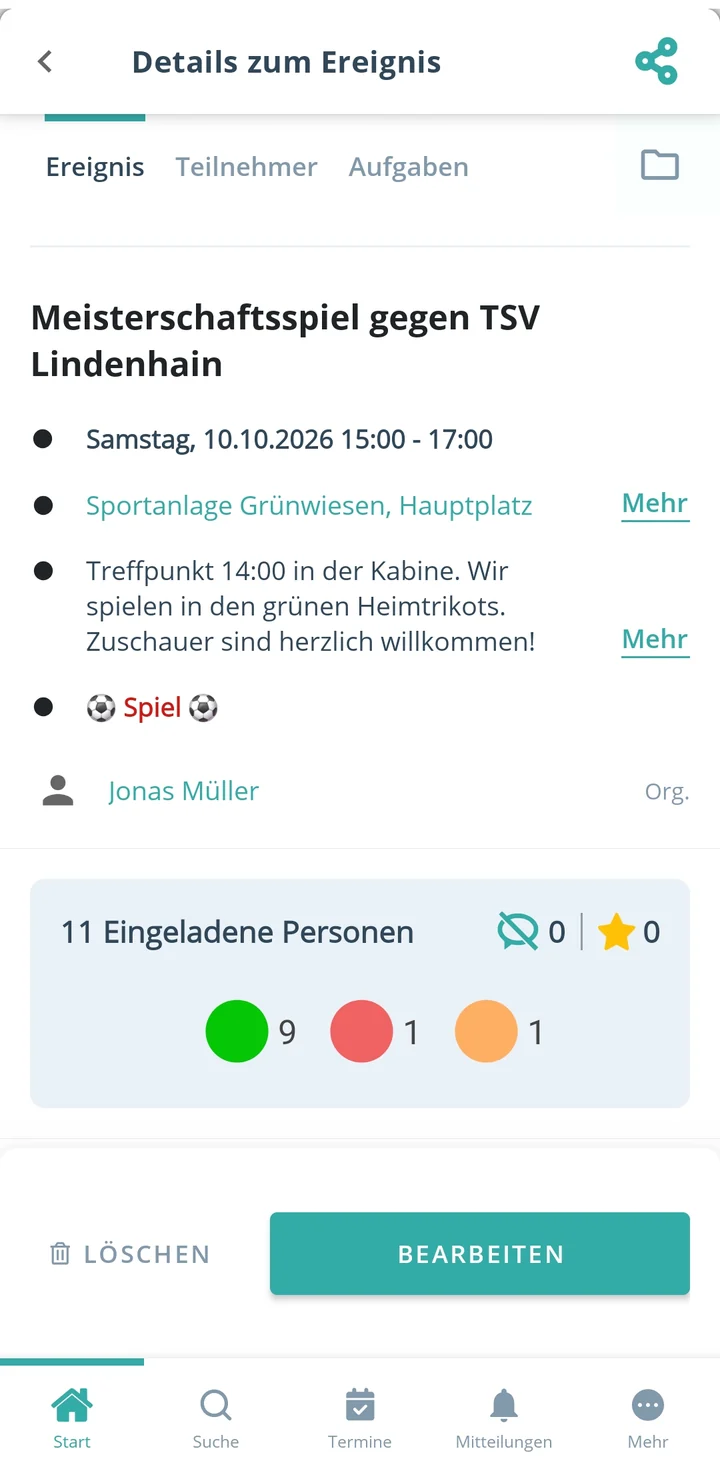
Chat, files and all your groups in one app. Sync your own calendar with Google, Apple or Outlook.

Gumb vs. WhatsApp & Excel
Why teams and organizations switch from group chats and spreadsheets to Gumb.
18:00 - 19:30
14:00 - 17:30
The 8 key features
Each with its own page, real screens from the app and answers to the most common questions.
What do you organize?
Pick your area and see how Gumb works for you.
 Business & teamsShift schedules, company events, corporate sports and associations
 Emergency & rescueFire departments, first aid, water rescue and civil protection
 Community & nonprofitNGOs, political groups, parent councils, environment and animal welfare
 Church & faithParishes, youth groups, worship teams and small groups
 Music & artsChoirs, wind bands, theater, dance and carnival
 Sports & recreationSoccer, handball, volleyball, ice hockey and more
 Hobby & communityCooking clubs, car clubs, esports and hiking groups
 Other groupsMixed groups, temporary teams and project groups
Trusted by teams and organizations
From small teams to large organizations.





















































Get started
Try it free, pick a plan or book a demo.
for what matters
No phone chains, no retyping lists, no chasing people. Gumb handles the coordination.
No phone chains, no lists.
Radically simple to organize
One place instead of five apps: events, replies, chat and files come together automatically.
One place instead of five apps.
Start for free
2 months of full functionality, up to 30 teams, no credit card, no automatic renewal.
2 months, up to 30 teams.
Try 2 months freeBook a demo
Get a guided tour of Gumb in 30 minutes, in person and based on your use cases.
30 minutes, one on one.
Book a demoGet the apps
Gumb runs on web, iOS and Android, always in sync, in 6 languages.
Web, iOS and Android.
Compare plans
from $149 per yearfor up to 100 members
Every feature included. Members never pay.
View pricingWhat organizers say about Gumb
4.7/54.7 out of 5 stars271 ratings across both platforms25K+ users
Great app for scheduling. Very clear, reliable and easy to use.
Top product for organizing communities
We, an ice hockey club, have been using Gumb for many years. Top customer support and very stable.
I manage my Jungwacht youth group with this app. It works excellently. Everything clearly in one place! Even the CEO (Dominik) personally takes time to talk to you and asks for suggestions for improvement
Great app, works even for very large clubs. Highly recommended.
Simple and clear to use, everything works perfectly.
The very best app for planning our club, congratulations
Reviews translated from German.
Frequently asked questions
Short answers on features, pricing, setup and data protection.
What is Gumb?
Gumb is an app for scheduling and communication in clubs, teams, companies and organizations. Events, RSVPs, attendance, chat and files sit in one place, in the app for iOS and Android and in the browser. Gumb is made by Gumb AG in Schaffhausen, Switzerland.
Who is Gumb for?
For any group that plans together: sports clubs, music and arts groups, fire departments and rescue organizations, churches, nonprofits and NGOs, companies and teams, and hobby groups. Under Solutions there is a dedicated page with examples for every area.
How much does Gumb cost?
Gumb Pro starts at $149, €149 or CHF 149 per year for an organization with up to 100 members. Members never pay, the organization pays for the subscription. For several communities there is Premium, starting at $269 per year. All prices are on the pricing page.
Is there a free version of Gumb?
Gumb has no permanently free plan. You can try Gumb free for 2 months with all features, no credit card needed. The trial ends on its own and does not renew automatically. For members, Gumb is always free.
Does Gumb work on iPhone, Android and in the browser?
Yes. Gumb is available as an app for iOS and Android and as a web app in the browser, always in sync and in 6 languages. You can also sign in with Apple ID, Google or Facebook.
Can Gumb sync with Google, Apple or Outlook Calendar?
Yes. Gumb syncs events automatically with Google Calendar, Apple Calendar (iCal) and Outlook. Each member connects their calendar once, after that new and changed events appear on their own, one calendar per community and with direct links to accept or decline. Every member has their events where they already plan.
Can I manage several teams, departments or clubs with Gumb?
Yes. Gumb is built for organizations with several teams, departments or clubs, and all of them are visible at a glance. Smaller clubs start with one community on the Pro plan: up to 20 groups such as teams or departments and 100 members, from $149, €149 or CHF 149 per year. Larger clubs and companies use Premium to set up 2 to 30 independent communities, for example one per team, department or partner club. Each community has its own admins, settings, texts and colors, and the owner manages all of them in one place.
Can a member belong to several teams or clubs?
Yes. A member can belong to several groups and communities in Gumb, for example their own team and a partner club. Events, chats and updates from all of them come together in one app. Anyone active in several teams or clubs has all their events in one place and does not have to switch between apps.
How do we switch to Gumb?
Anyone who sets it up themselves usually has their organization ready in Gumb in about 2 hours. You create your organization with all its groups, bring in events from Excel or as an .ics file and invite members by link or email. Guides, video tutorials and a checklist help you along, free of charge. During the 2 month trial you can run Gumb alongside your current tool.
Can the Gumb team set it up for us?
Yes. The Gumb team sets up your organization for you when the board is short on time or nobody enjoys configuring software. The smallest package, Kickstart, is a one-time CHF 449 or €449 and is enough for most clubs: a kickoff call, setup of communities, groups, roles and permissions by the Gumb team, a live training for all admins and 14 days of priority support. For larger organizations there are Full Service and Enterprise Onboarding. Best start with a free demo, where we work out together whether you need a package.
Is Gumb an alternative to Spond, ClubDesk or Webling?
Yes. ClubDesk and Webling are club management tools mainly for the board. Gumb is the app for the board and the members: everyone accepts or declines, chats and sees their events. Spond is a free app from Norway that charges for payments and the club website. Gumb has a fixed subscription and also fits companies, churches and rescue organizations. The details are in the comparisons.
Why Gumb instead of a WhatsApp group?
WhatsApp is good for chatting, Gumb is built for organizing groups. From around 10 members a WhatsApp group gets hard to follow, especially for regular training sessions, rehearsals or meetings: RSVPs, changes and questions get lost in the chat history. In Gumb you create recurring events in a few clicks, every member accepts or declines per event, and Gumb sends reminders automatically. Messages go to a specific team, group or individual members, by push, email or in the built-in chat with team chats and direct messages. WhatsApp stays private, and nobody has to share their phone number with the club.
Is Gumb privacy compliant?
Yes. Gumb complies with the GDPR and the Swiss Data Protection Act (FADP). Data is stored in the EU, in Amazon Web Services (AWS) data centers in Frankfurt. The controller is Gumb AG in Schaffhausen, Switzerland. Members decide themselves which admins can see their profile.
Is Gumb a Swiss app?
Yes. Gumb is made by Gumb AG in Schaffhausen, Switzerland, and data is stored in the EU (AWS Frankfurt). Gumb was founded in 2020 to make team planning and scheduling simpler. Its roots go back to 2008, when Teamplanbook, the predecessor of Gumb, was created. Today more than 25,000 registered users (as of October 2026) across Europe plan their events with Gumb. The full story is on the About page.
Who's coming? From today, you'll know.
Plan your next event in Gumb.