
Everything a group needs. In one place.
100+ features for scheduling, communication and coordination.
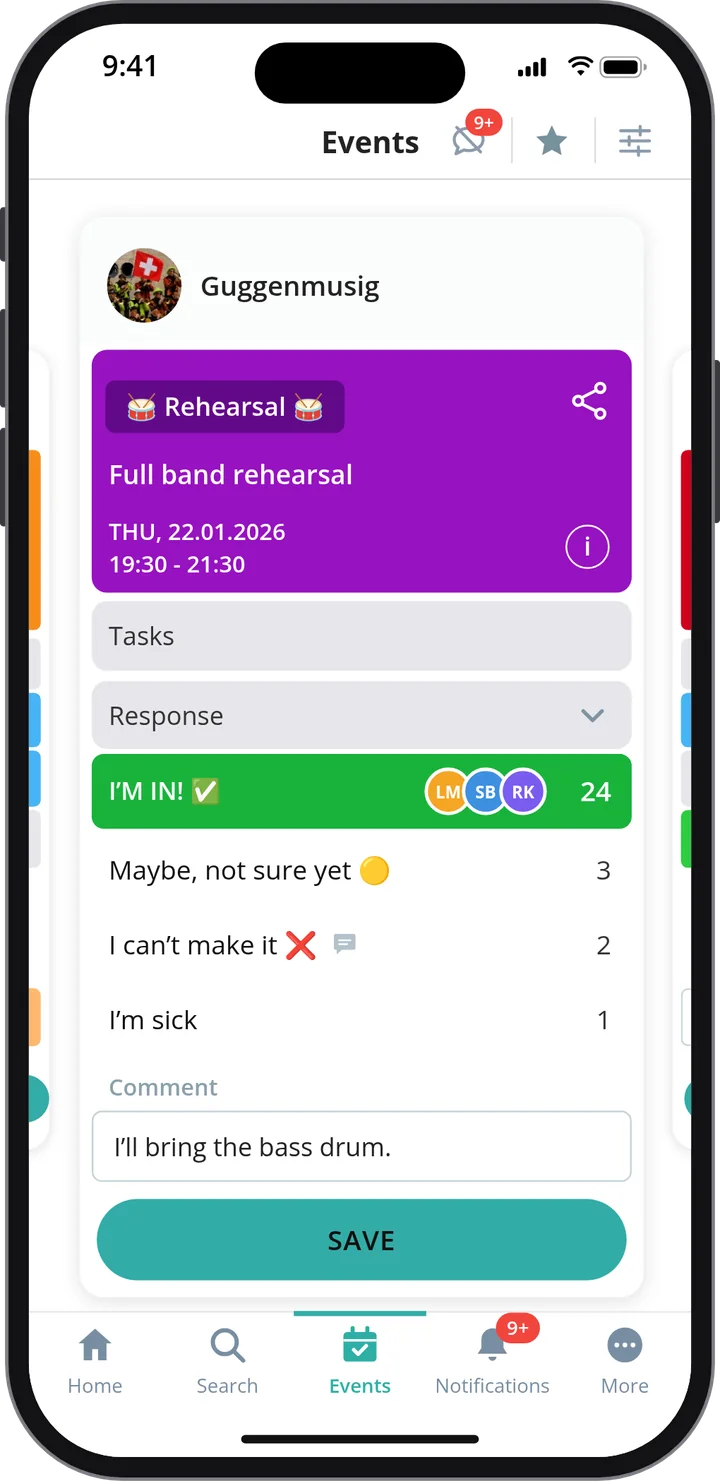
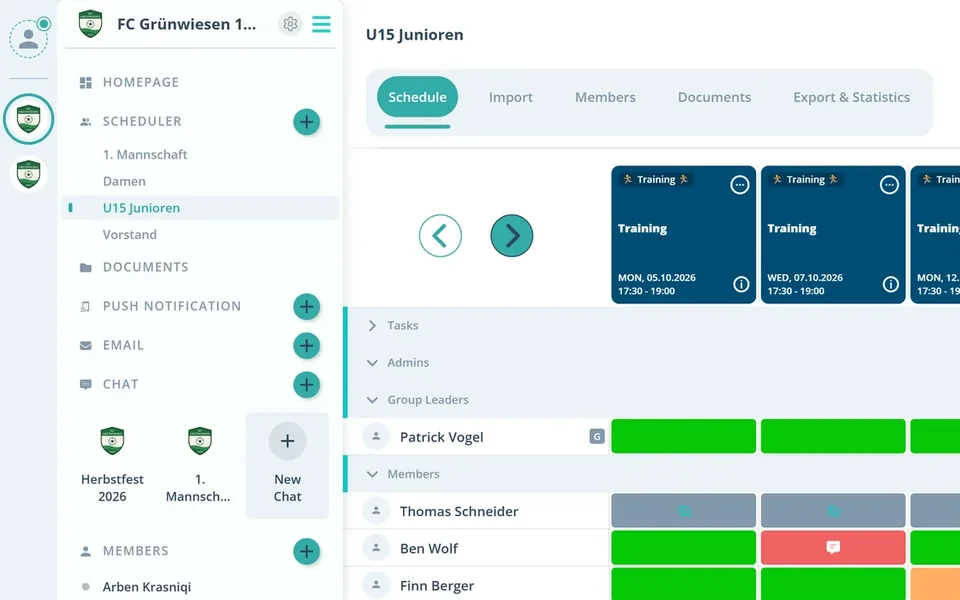
Shared Calendar
All events, meetings, and activities in one place.
Availability
Instantly see who's attending and who's not.
Communication
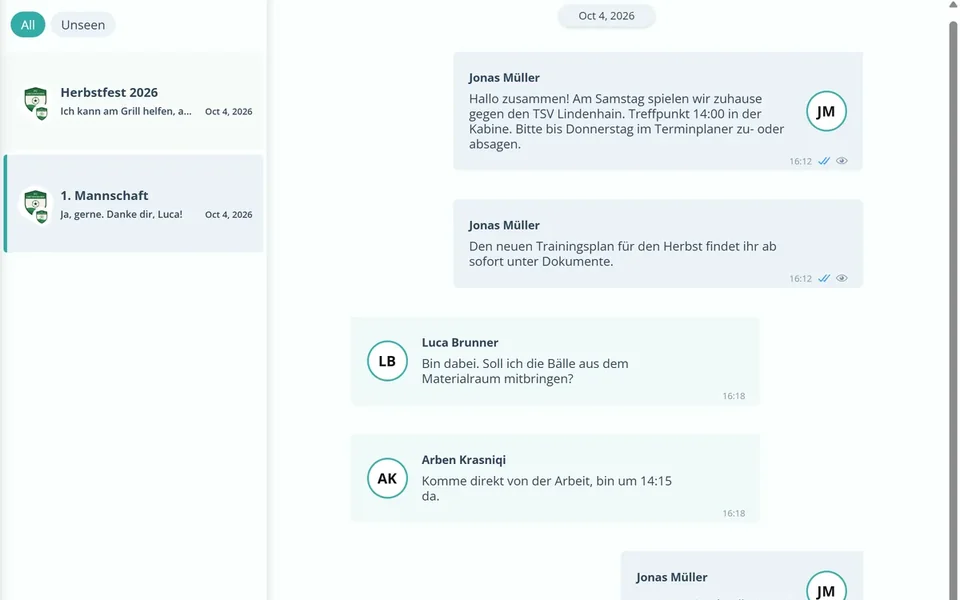
Communicate directly within each event.
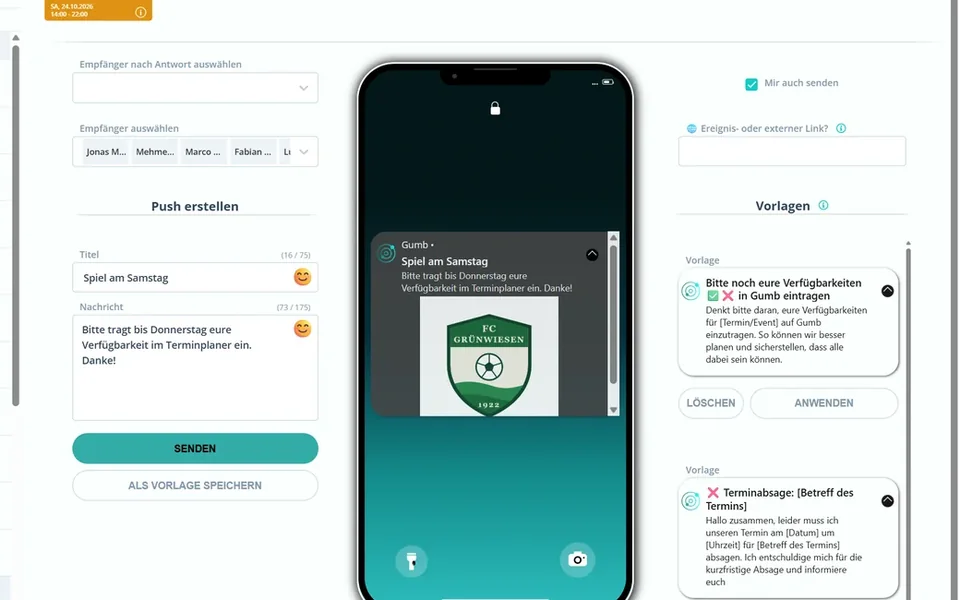
Notifications
Updates via push and email.
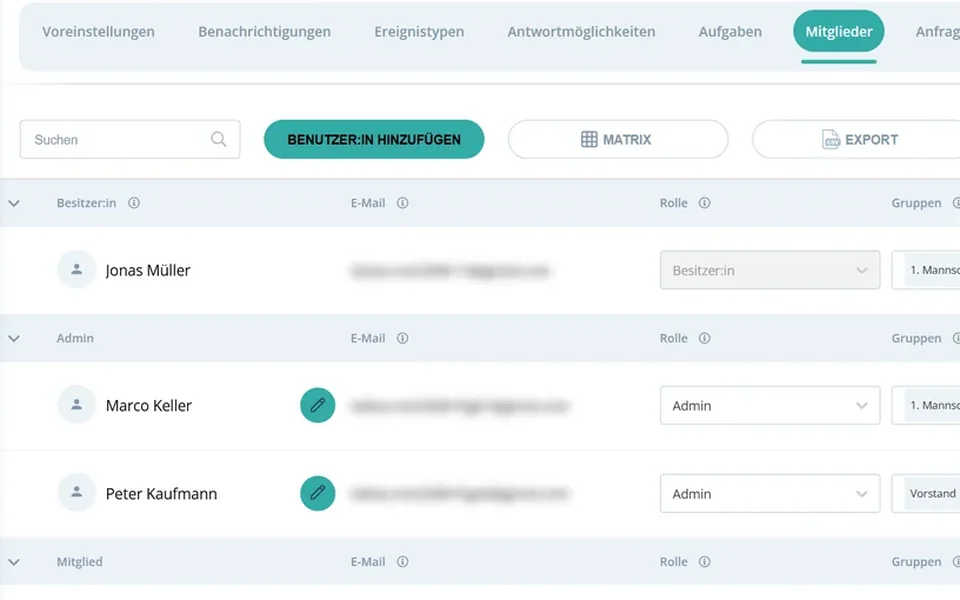
Roles
Clear responsibilities and permissions.
Members
All members and contacts organized in one place.
The 8 key features
Each with its own page, real screens from the app and answers to the most common questions.
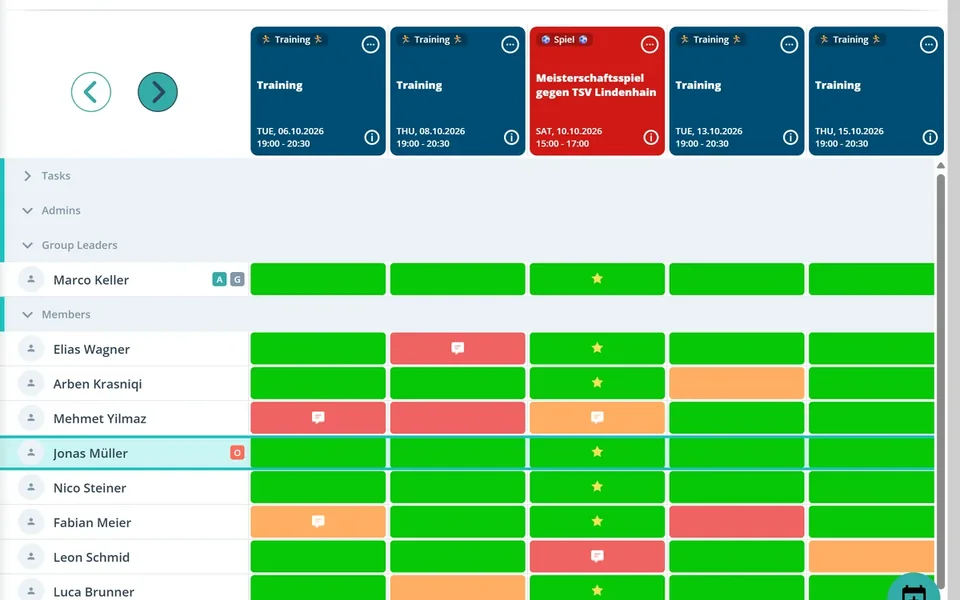
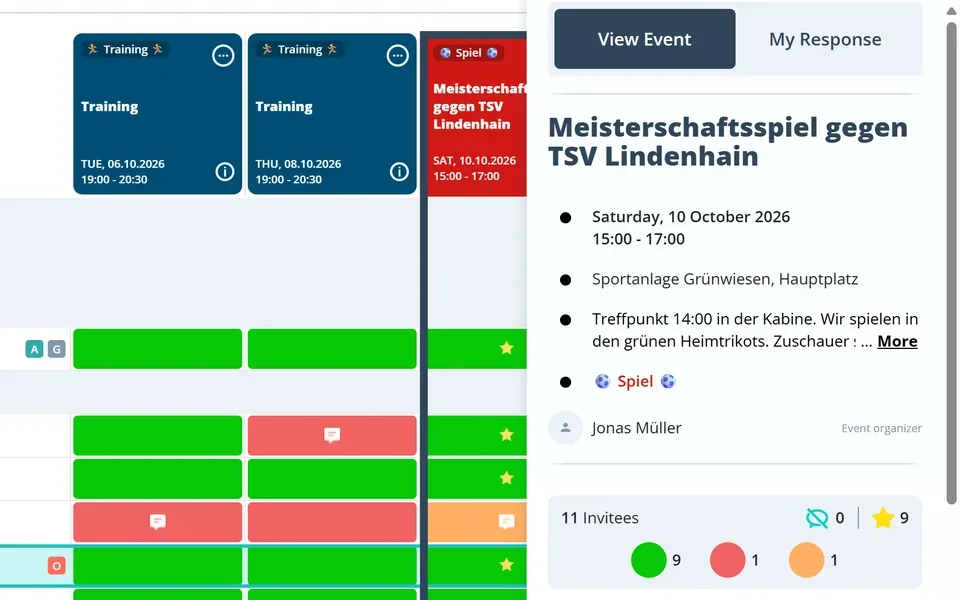
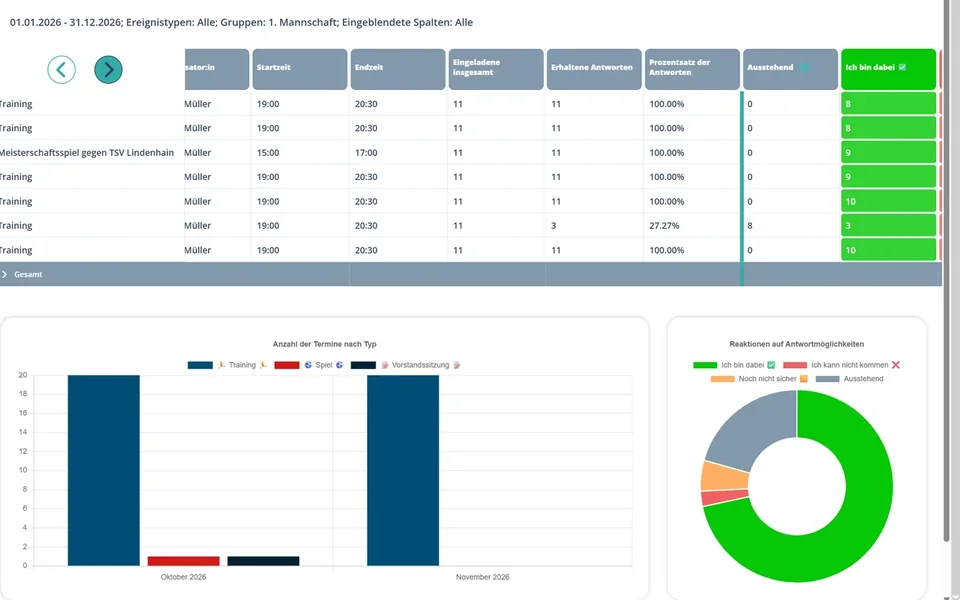
Every feature at a glance
What Gumb offers, in four areas. Every feature links to the page or guide that explains it.
Communicate
What organizers say about Gumb
4.7/54.7 out of 5 stars271 ratings across both platforms25K+ users
Great app for scheduling. Very clear, reliable and easy to use.
I am an assistant coach of a U21 floorball team: great app for managing training attendance. I can export an attendance list at any time. If training is canceled at short notice, as an admin I can also send a push notification to everyone involved right away. Cool app... keep it up...👍
With all my hobbies I always had a big muddle. With the Gumb app I can see who is coming when, and I can also ask why not... The layout is very user-friendly and modern. I think the app is very good and recommend it.
We tried out various apps in our club and Gumb covers our needs best! If you have questions, support helps right away. The app is constantly being improved and new, very useful features keep being added.
Top product for organizing communities
We, an ice hockey club, have been using Gumb for many years. Top customer support and very stable.
Great app, works even for very large clubs. Highly recommended.
Reviews translated from German.
How to get started with Gumb
Three steps to your first event.
- 1
Create your group
Set up a community and bring members in via a link or an invitation.
- 2
Plan events
One by one, recurring or imported from an Excel file.
- 3
See the responses
Follow live who's coming, and Gumb reminds the rest.
Features FAQ
Does Gumb work on iPhone, Android and in the browser?
Yes. Gumb is available as an app for iOS and Android and as a web app in the browser. You can also sign in with Apple ID, Google or Facebook.
Can I add events to my own calendar?
Yes. Gumb connects to Google Calendar. Guides for Apple and Outlook calendars are available in Gumb support.
Is there a chat?
Yes. Gumb has team chat and direct messages, comments right on the event, and push and email notifications.
Can I analyze and export attendance?
Yes. Gumb tracks attendance automatically and creates statistics that can be exported as CSV. Events can be exported as PDF. In Switzerland, Gumb supports J+S attendance tracking.
Can parents RSVP for their children?
Yes. Each child gets their own account for their events and responses, which parents can manage. Siblings who only come along can be added as extra guests.
Can I assign shifts and tasks?
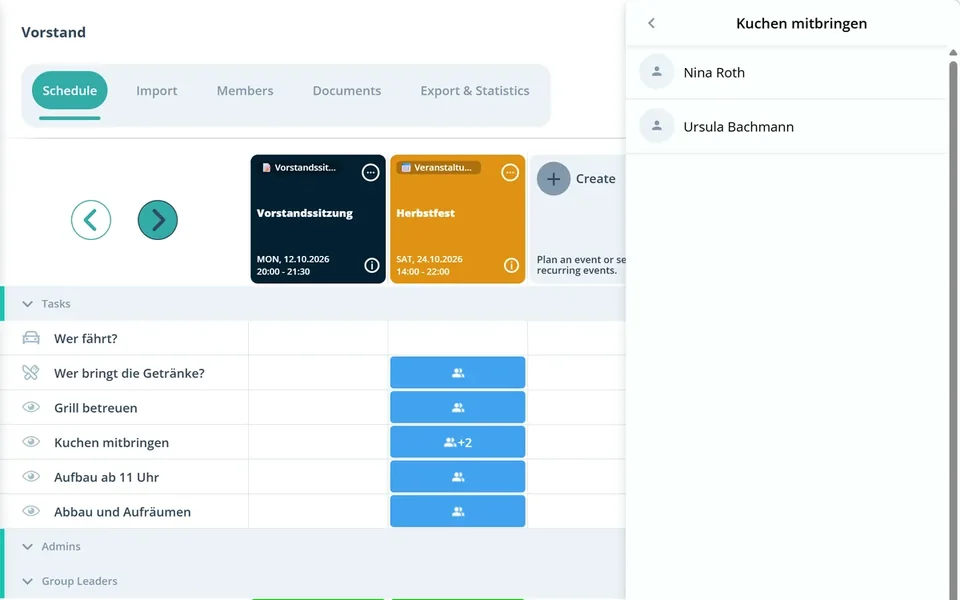
Yes. You plan shifts as events of their own, recurring if you like, and members sign up for them. Tasks such as set-up, bar duty or rides are assigned right on the event, and everyone sees who does what.
How many languages is Gumb available in?
Gumb is available in 6 languages, with automatic time zones.
Is Gumb privacy compliant?
Yes. According to its privacy policy, Gumb processes personal data in line with the EU General Data Protection Regulation (GDPR) and the Swiss Data Protection Act (FADP). The controller is Gumb AG in Schaffhausen, Switzerland.
One place instead of five apps.
Calendar, polls, chat and member list in Gumb. Free for 2 months with every feature, no automatic renewal.