Other groups · Calendar · RSVPs
The shared calendar for every group
Share events, see RSVPs in real time and send changes to everyone at once. For mixed groups, temporary teams, project groups and anyone who plans together.
- iOS, Android & web
- No feature upgrades needed
- No credit card needed




Choose your group
A dedicated page for every group, with examples from everyday life.


In short
Gumb is a shared calendar for every group that plans together: circles of friends, project groups, temporary teams and every group that fits no box. Unlike a shared calendar, Gumb shows on every event who said yes or no, sets response deadlines, hands out tasks and sends push reminders. If you like, you also see the events in Google, Apple or Outlook.
More than a shared calendar
What a normal calendar cannot do for groups, and how Gumb fixes it.
Without Gumb: The shared calendar shows the event, but not who is coming.
With Gumb: On every event you see live who said yes or no.
Without Gumb: Nobody notices changes until someone stands at a locked door.
With Gumb: After you edit an event, Gumb asks whether everyone should be notified.
Without Gumb: Who takes on what sits in another tool.
With Gumb: Tasks sit right on the event.
Without Gumb: Everyone uses a different calendar.
With Gumb: Gumb events show up in Google, Apple or Outlook.
A calendar that answers
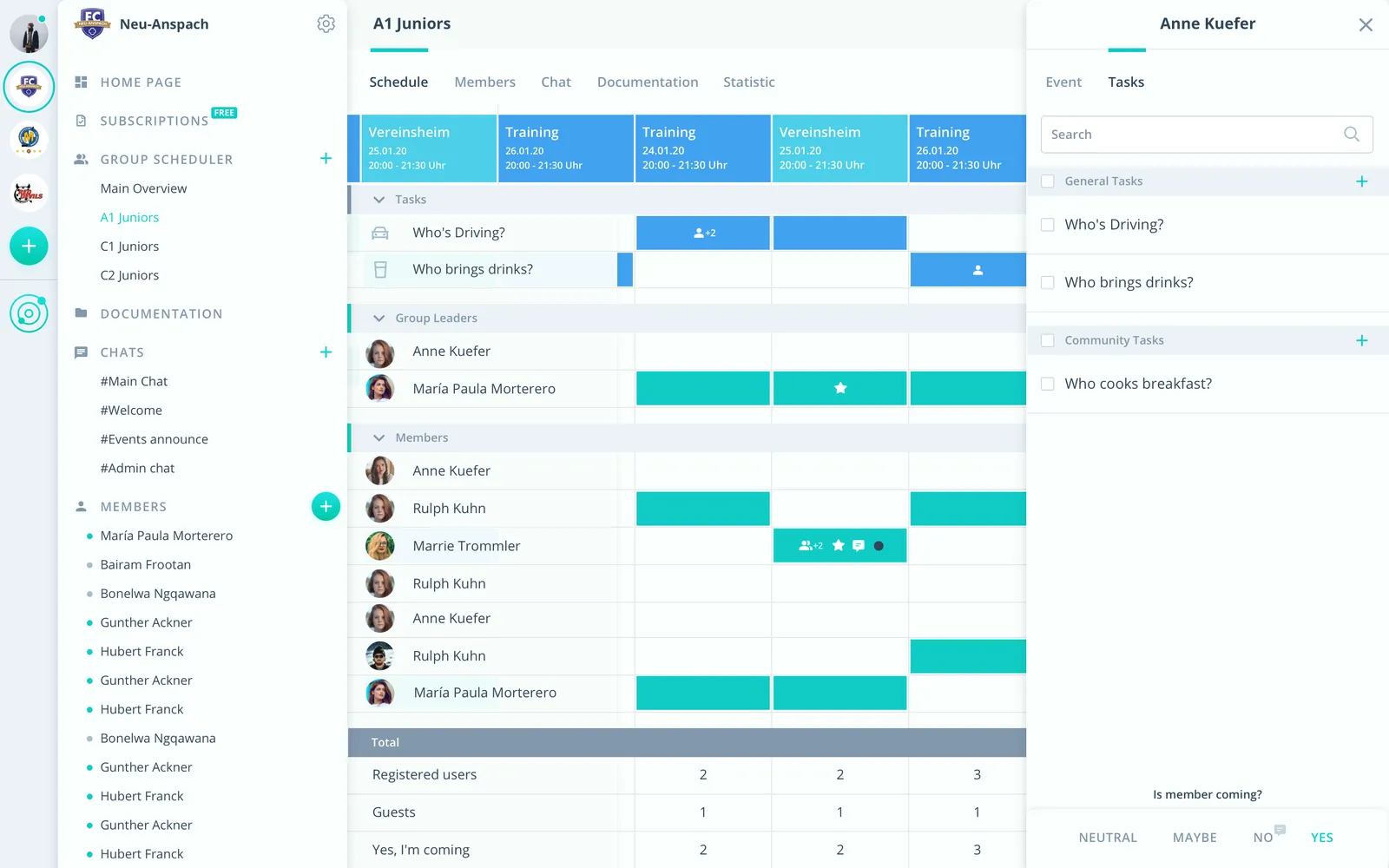
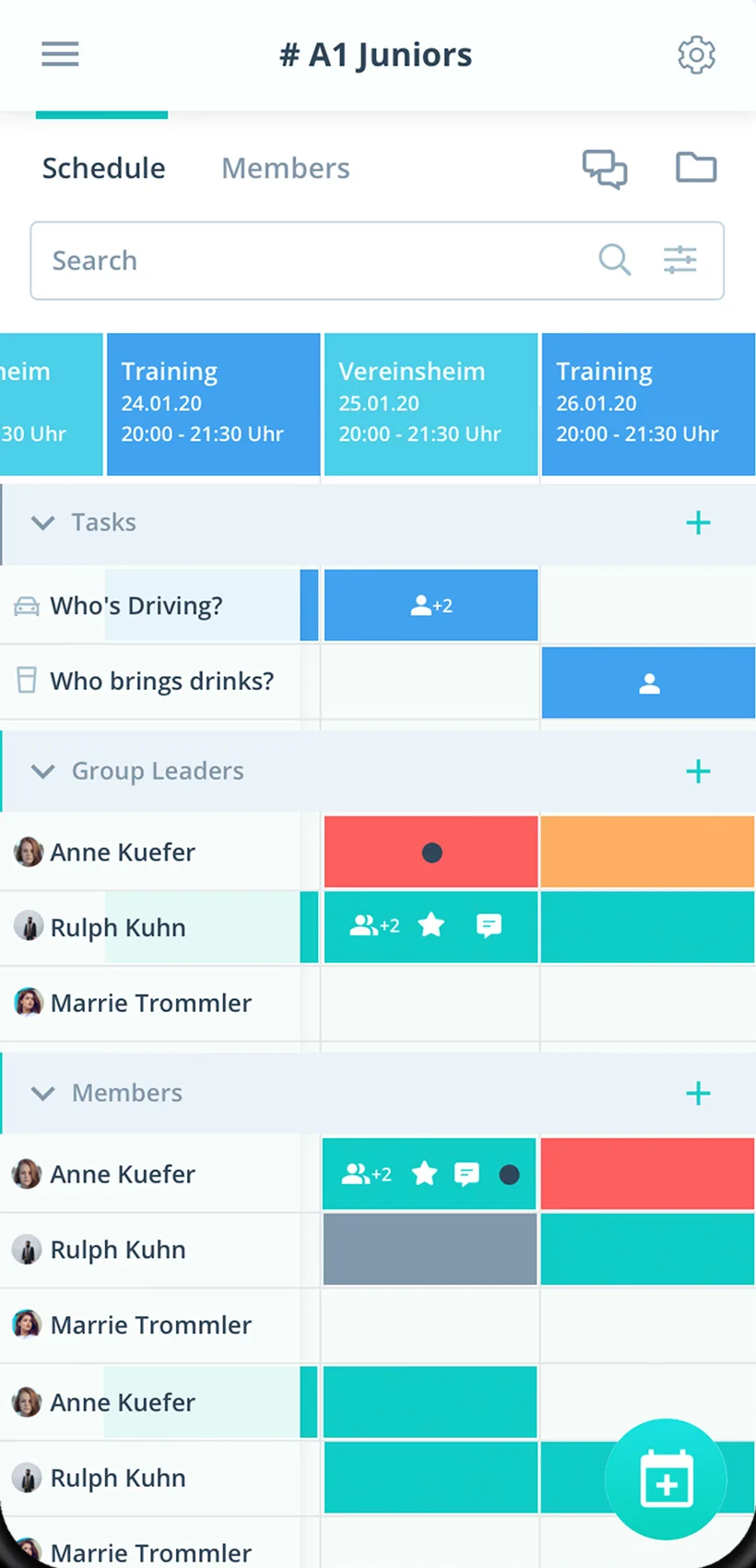
Events, responses and tasks in one place, in the app and in the browser.
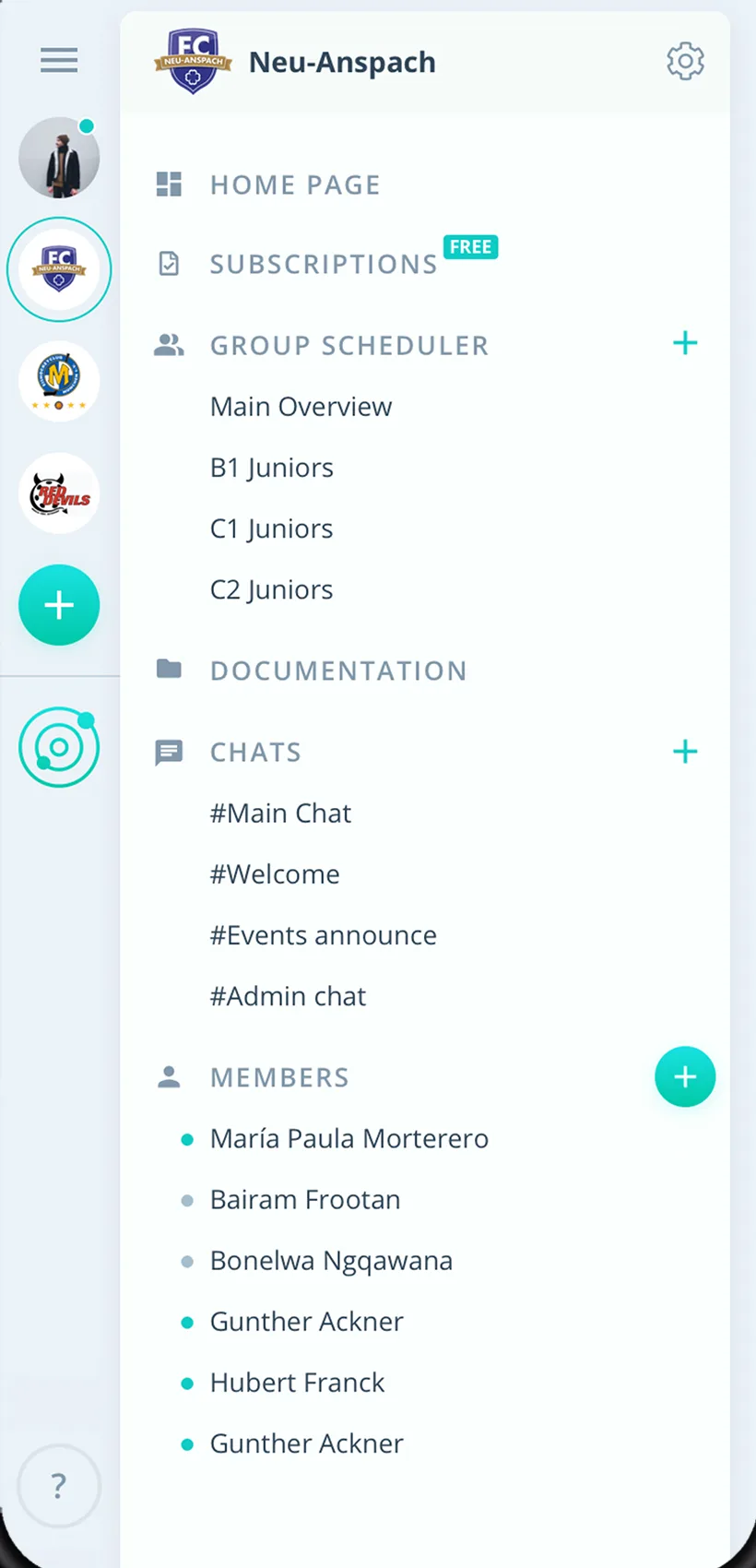
Responses on the event
Who is coming and who is not, right on the calendar entry.
Push on changes
After every change you decide whether everyone is informed.
In every calendar
Google directly, Apple and Outlook via iCal.
Everything for the shared calendar
For circles of friends, project groups, temporary teams and any other group.
Shared calendar
Single events and series, daily, weekly, monthly or custom.
Responses
Answer right on the calendar entry, custom answers and required comments included.
Calendar sync
Google directly, Apple and Outlook via iCal, one way, with links to respond.
Tasks on the calendar entry
Who takes on what, right on the calendar entry.
Reminders and push
Gumb reminds up to twice before every event, by push or email.
Comments and chat
Questions right on the event, chat rooms and direct messages.
Files on the event
Documents on the event or in group folders, up to 50 MB per file.
Several groups
Every group gets its own calendar in the group scheduler, several communities from Premium.
Clear roles
Owner, admin, group leader and member define who creates events.
How your shared calendar gets started
From the first event to a calendar everyone uses.
- 1
Create the group
Create the group and add members by link, email or directly.
- 2
Enter events
Single events or series, with a response deadline if you like.
- 3
Connect calendars
Anyone who wants can sync with Google, Apple or Outlook.
For everyone who plans together
Organizers
- Responses right on the event
- Changes reach everyone
- Tasks without a second tool
Members
- Answer right on the calendar entry
- Events in your own calendar
- A reminder before every event
Admins
- Several groups on one platform
- Roles decide who creates events
- Members never pay
What users say about Gumb
4.7/54.7 out of 5 stars271 ratings across both platforms25K+ users
Great app for scheduling. Very clear, reliable and easy to use.
Simple and clear to use, everything works perfectly.
The very best app for planning our club, congratulations
Reviews translated from German.
Groups and teams that use Gumb
 FC St. Gallen
 Native Crew
 Talentschule Davos
 Tonhalle Wil Platzanweiser
 KiBuMä Meineringhausen
 Fänclub SCL Tigers
FAQ: the shared calendar app
How is Gumb different from a shared Google Calendar?
A shared calendar only shows the event. Gumb also shows who said yes or no, sets response deadlines, hands out tasks on the event and sends push reminders.
Can I see Gumb events in Google, Apple or Outlook?
Yes. Google has a direct connection, Apple and Outlook an iCal link. New and changed events flow from Gumb into your calendar, not the other way round.
Can I respond from my own calendar?
Yes. Synced events contain direct links to say yes or no.
How does everyone learn about a change?
After you edit an event, Gumb asks whether everyone should be notified. Push notifications arrive even when the app is closed.
Can I create recurring events?
Yes. Events repeat daily, weekly, monthly or custom, with a response deadline if you like.
Who can create events?
Owners and admins manage the whole community, group leaders schedule for their group. Members respond to events.
Which app suits groups that do not fit any category?
Gumb suits any group that shares events and wants to see RSVPs: circles of friends, project teams, seasonal teams or production crews. You set up events, members say yes or no with one click, and every subgroup plans in its own group scheduler.
Is there a free shared calendar for groups?
You try Gumb free for 2 months, with every feature, no credit card and no automatic renewal. After that the Pro plan costs 149 Swiss francs a year for up to 100 members. Members never pay.
How do we find a date that suits everyone?
You set up several date proposals, members report their availability, and you see at a glance which date has the most yes replies.
How do I remind members of an event?
You send reminders on the event, up to two per event. You see at a glance who has not answered yet.
Is Gumb compliant with data protection law?
Gumb complies with GDPR and the Swiss FADP. Every person decides in their settings which admins may view their profile, and group events are visible only to the group.
Which groups use Gumb?
For example FC St. Gallen with its teams, Talentschule Davos and Native Crew. The logos are further up on the page.
Ready for a calendar that answers?
Try Gumb's shared calendar with your group free for 2 months, with every feature, no credit card and no automatic renewal.