For Subscribers
Start Your Gumb Subscription 🚀
You start your subscription in the web app under Profile > Subscription, using the owner's account. Members don't pay anything. The iOS and Android apps can't start a subscription.
How to start your subscription
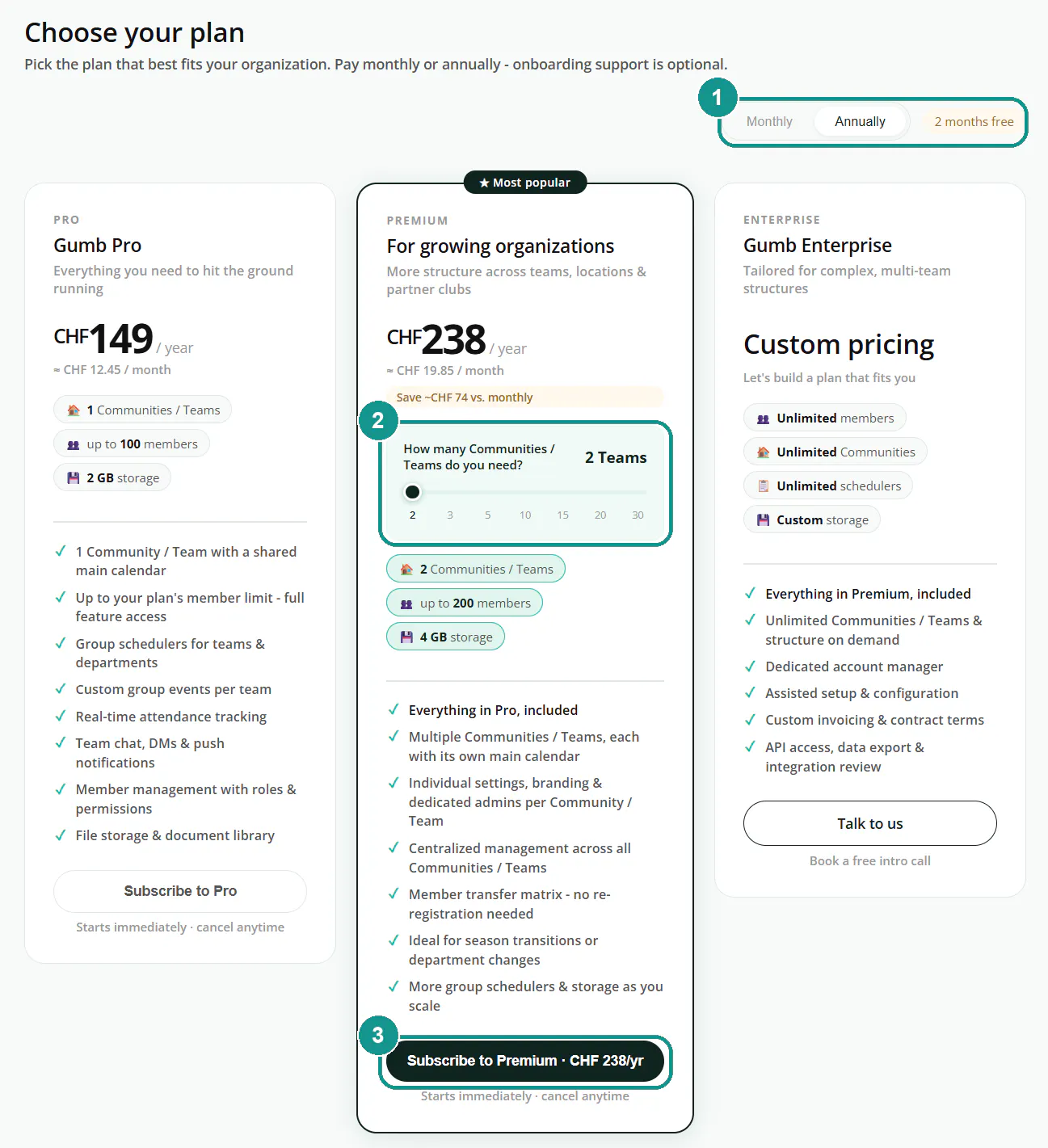
- Open Profile > Subscription and click Choose plan or Compare plans.
- Pick Monthly or Annually at the top. Paying yearly gets you 2 months free.
- For Premium, use the slider to set how many communities you need.
- Click Subscribe to Pro or Subscribe to Premium on your plan.
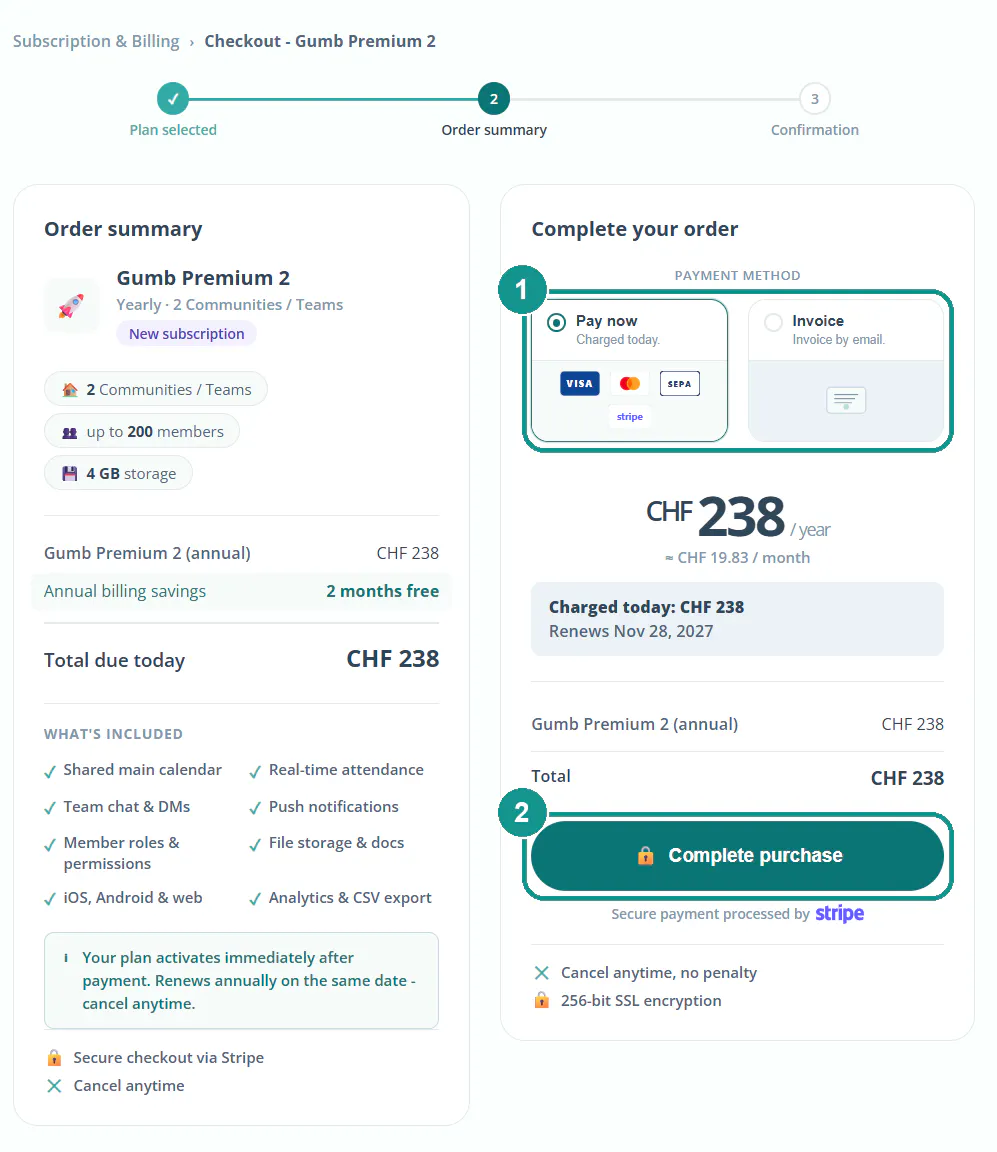
- Choose how to pay: Pay now (card or SEPA) or Invoice.
- For "Pay now," click Complete purchase. For "Invoice," fill in your organization or name and your address, then click Request invoice.
Your plan is active right away, even with an invoice and before you pay. It renews automatically until you cancel.
Which plan is right for us?
Pro is for 1 community, Premium for 2 to 30 communities, Enterprise for larger organizations. All prices: Pricing & Plans. More: Which Plan Fits? 💼
Can I subscribe during my trial?
Yes. You keep the rest of your trial, and the paid subscription only starts when it ends. More: Free Trial 🧐
What can I add when paying by invoice?
Your organization or name and your address are required. Optional: an invoice memo like a cost center or PO number, a VAT number and more billing emails, such as your treasurer's. All recipients get the same invoice, and you have 30 days to pay.
Where do I find my invoice and receipt?
At the bottom of Profile > Subscription under Billing history. If you pay by invoice, it's also emailed to you: a QR-bill in CHF, an invoice with a payment link in EUR and USD. You can download the receipt once you've paid. To get reimbursed by your club, forward the invoice or receipt to your treasurer.
Good to know: If you later change your billing address or payment method, it applies from your next invoice. Invoices already issued and your current subscription period stay the same.
Need help getting set up?
The "Choose plan" page offers an optional onboarding: one-time, no subscription needed. Choose between Kickstart, Full Service and Enterprise Onboarding.