
For Subscribers
Which Plan Fits? 💼
Pro covers one community, Premium covers 2 to 30 communities under one subscription, and Enterprise covers more. Every plan has the full feature set, the plans differ only in size. Members never pay.
Do all plans have the same features?
Yes. Every plan includes every feature, chat and the Member Matrix included. Only the number of communities, members and group schedulers and the storage differ.
When is Pro enough?
Pro is enough if you run a single community, like one team, one department or a small club. It includes up to 100 members, 20 group schedulers and 2 GB of storage.
How do we manage several teams with one subscription?
With Premium, each team, location or department becomes its own community, with its own calendar, settings and admins. The owner manages all of them under one subscription and gets one invoice.
Use the Member Matrix 👤🔀 to move members between communities without them signing up again. Handy for a new season or a new department.
When is Enterprise worth it?
When you need more than 30 communities or your own contract terms. Communities, members and group schedulers are unlimited, and we set the storage with you. You also get a personal point of contact, help with setup, custom invoicing and contract terms, and API access. We agree on the price together, and the intro call is free.
How do I choose a plan?
In the web app, click your profile picture at the top left (1), then Subscription (2) and Choose plan (3). If a subscription is already running, the button says Change plan.
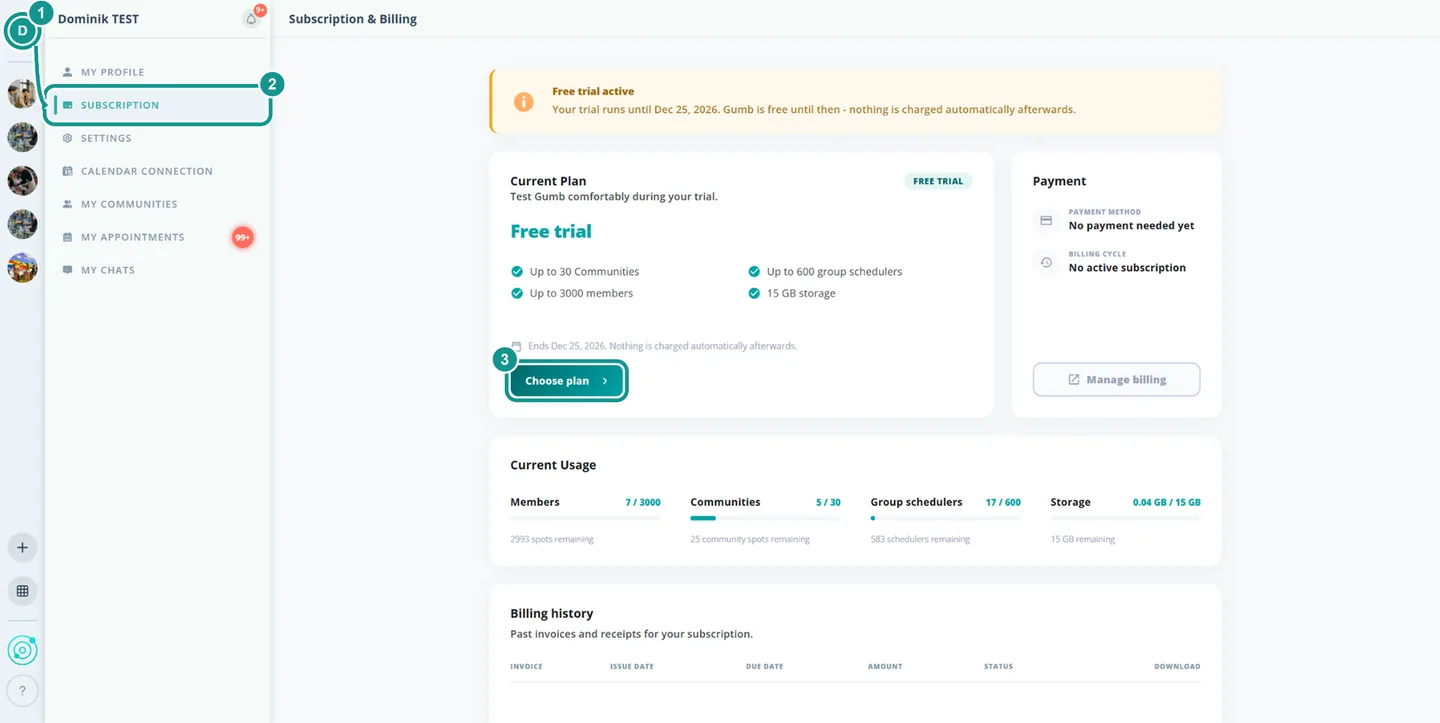
On the Choose your plan page:
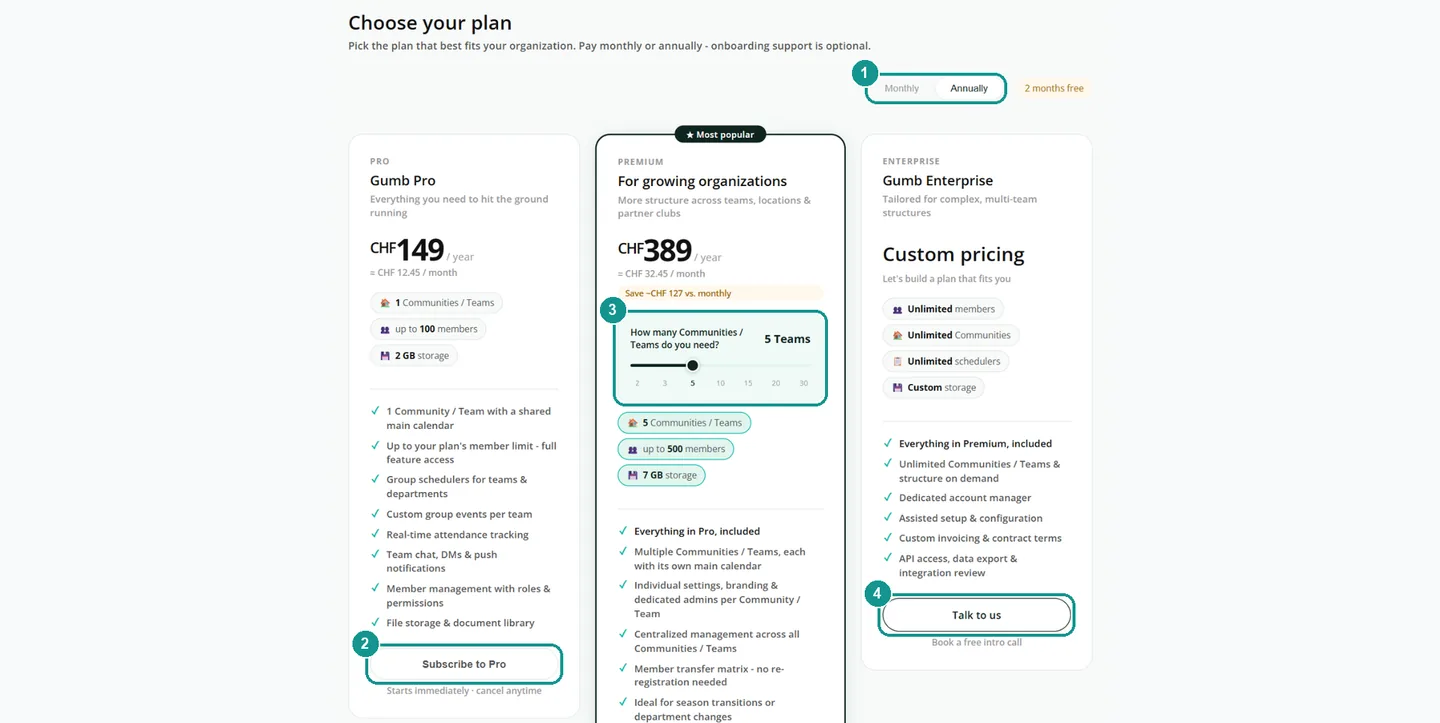
- Pick Monthly or Annually (1). Paying annually costs less.
- For one community, click Subscribe to Pro (2).
- For several communities, set the Premium slider to your number (3) and click Subscribe to Premium.
- For Enterprise, click Talk to us (4).
What happens next: Start Your Gumb Subscription 🚀
How many communities are we using?
During the free trial, it's at the top of the Choose your plan page under Your current usage. With a subscription, go to Profile > Subscription and look at Current Usage. It shows members, communities, group schedulers and storage against your limits. Need more or less later? Switch tiers: Change Your Plan (Upgrade/Downgrade) 🔄
Which plan fits which organization?
- A band or a small team: Pro with one community.
- A company with 4 locations: Premium 5, one community per location and one for management.
- A club with 12 teams: Premium 15. The board is the owner, and the coaches are admins of their team.
Who can choose the plan?
Only the owner 👑. All communities on one subscription must belong to the owner. If someone else owns a community, ownership can be transferred: Transfer Ownership 🤝🏼
Prices for each plan and tier are on Pricing & Plans.