
Recipients in one click
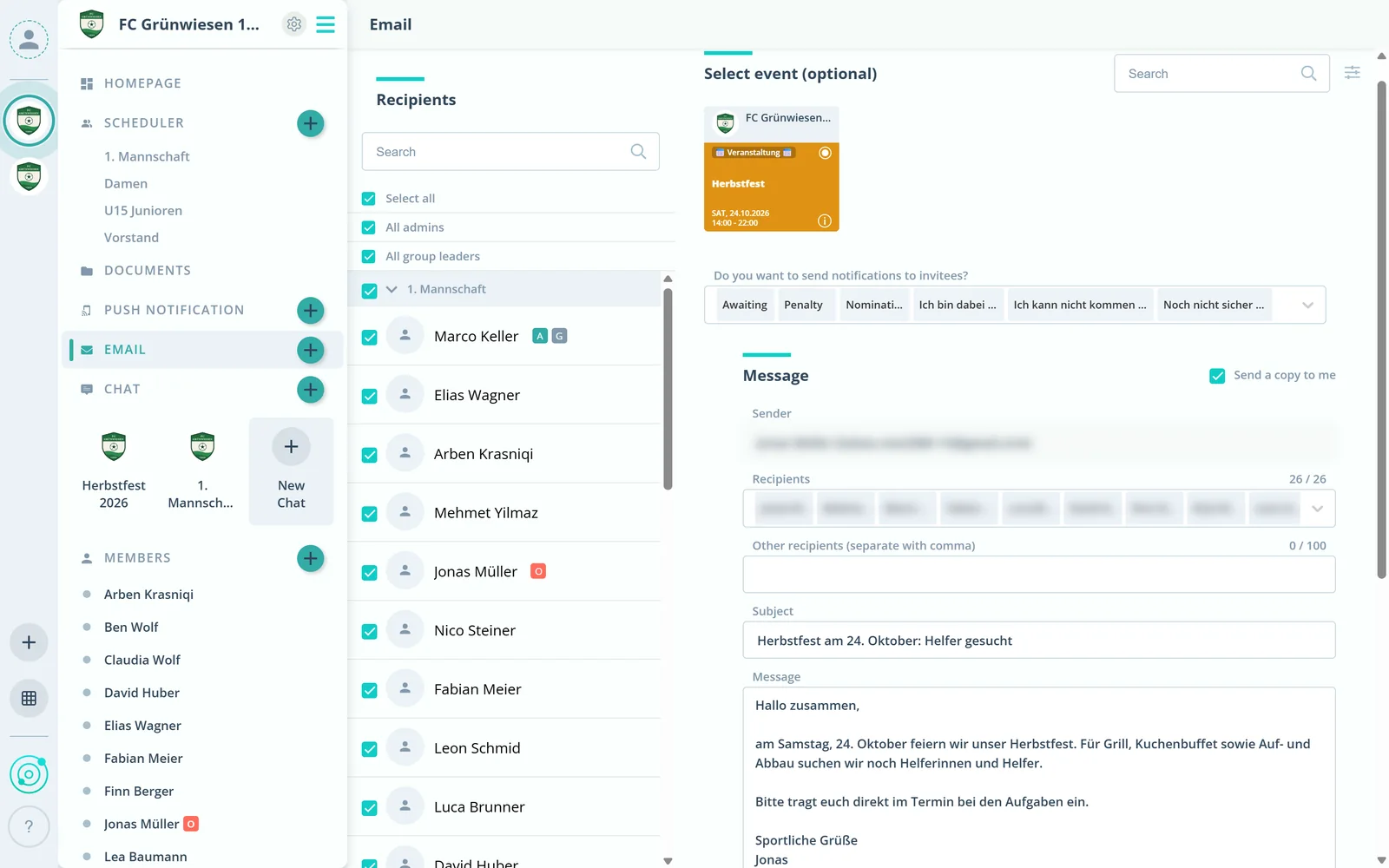
Pick single members, whole groups or roles such as all admins. Gumb already knows the addresses.
Feature: Email
Write to members, groups, roles or the invitees of an event right from Gumb. No copying addresses, no separate email program.



In short
With the email feature, admins and group leaders write to members, groups, roles or the invitees of an event right from Gumb, without copying addresses. Event invitees can be filtered by their answer, up to 100 external addresses can be added, and files or Gumb documents can be attached. The email goes out as no-reply under your own name, recipients do not see each other and reply to the sender with one button.
Real screens from the app, explained step by step.
Pick single members, whole groups or roles such as all admins. Gumb already knows the addresses.
Optionally pick an event and filter its invitees by their answer, for example everyone who has not answered yet.
Add a subject and message, attach files or documents from Gumb and add up to 100 external addresses. The email goes out right away.
What else the email feature does.
Choose recipients by group or role, for example all admins.
Write to the invitees of an event, filtered by their answer.
Add up to 100 external email addresses, separated by commas.
Attach files or send documents straight from Gumb.
Nobody sees who else received the email.
Sent as no-reply under your name. A button sends replies straight to you.
Admins and group leaders, in the Gumb web app.
No. Recipients do not see who else received the email.
Yes. You can add up to 100 external email addresses, separated by commas.
The email is sent as no-reply. Recipients see your sender address and a button to reply to you directly. A note also reminds them to answer the event in Gumb.
Yes. Copy the event link via the three dots in the scheduler and paste it into the email. One click and recipients answer right in the event.
Try Gumb free for 2 months with the full feature set. No credit card, no automatic renewal.