
For Members
My communities 🏘️
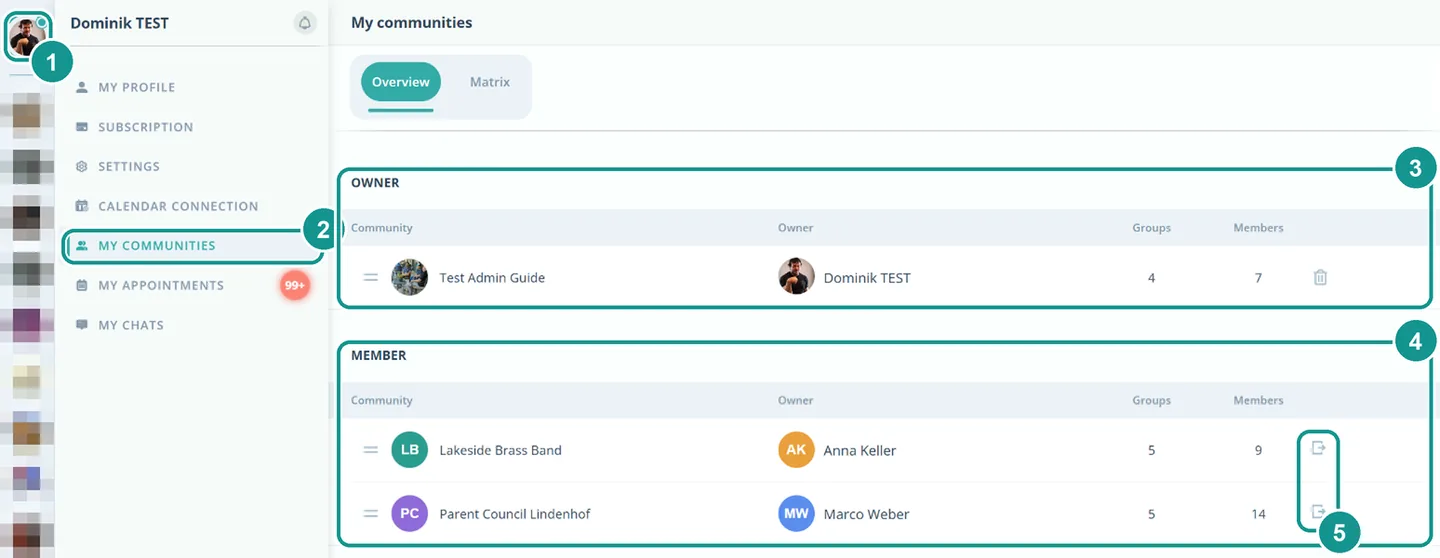
Under My communities you see every community you belong to. The ones you own are at the top, the ones you are a member of below. Each row shows the owner and the number of groups and members.
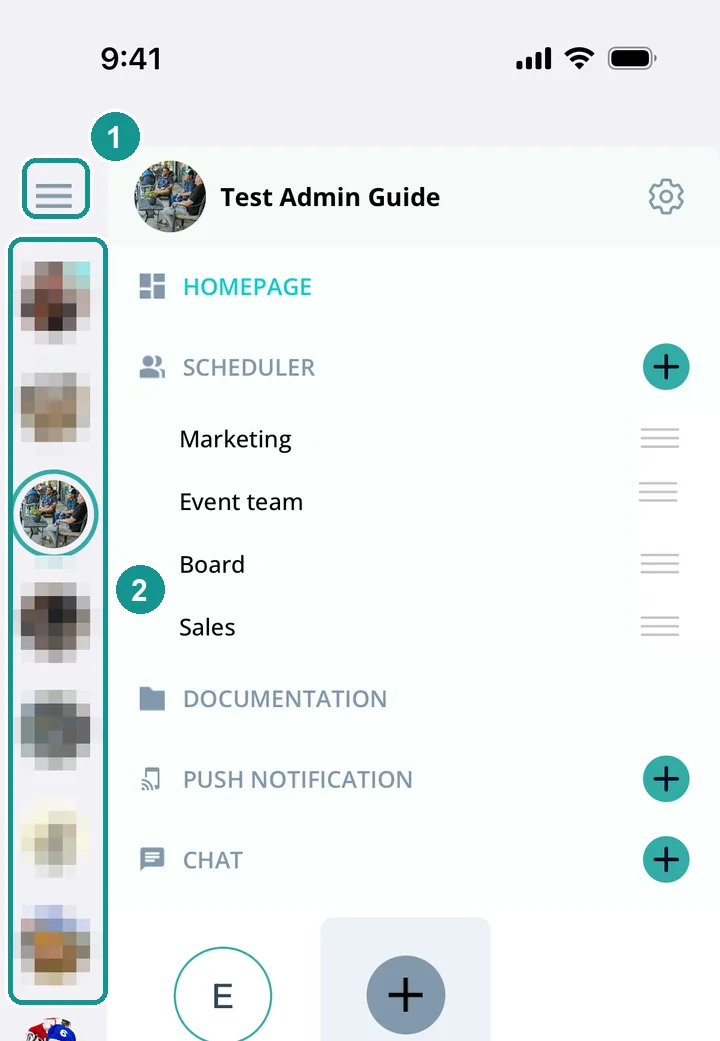
How do I find my communities in the app?
- Tap the menu at the top left (1).
- The bar on the left (2) shows all your communities. Tap one to open it.
How do I find my communities on the computer?
- Click your profile picture at the top left (1).
- Click My communities (2). The Overview tab is already open.
- The communities you own are at the top (3). The ones you are a member of are below (4).
How do I leave a community?
On the computer under My communities: in the row of the community, click the arrow icon on the far right (5).
What is a community owner?
Every community has exactly one owner. The owner pays for the subscription and manages it.
What is the Matrix tab for?
If you own several communities, the Matrix tab lets you add people to several communities with one click. See Member Matrix 👤🔀.