
Volunteer dinner
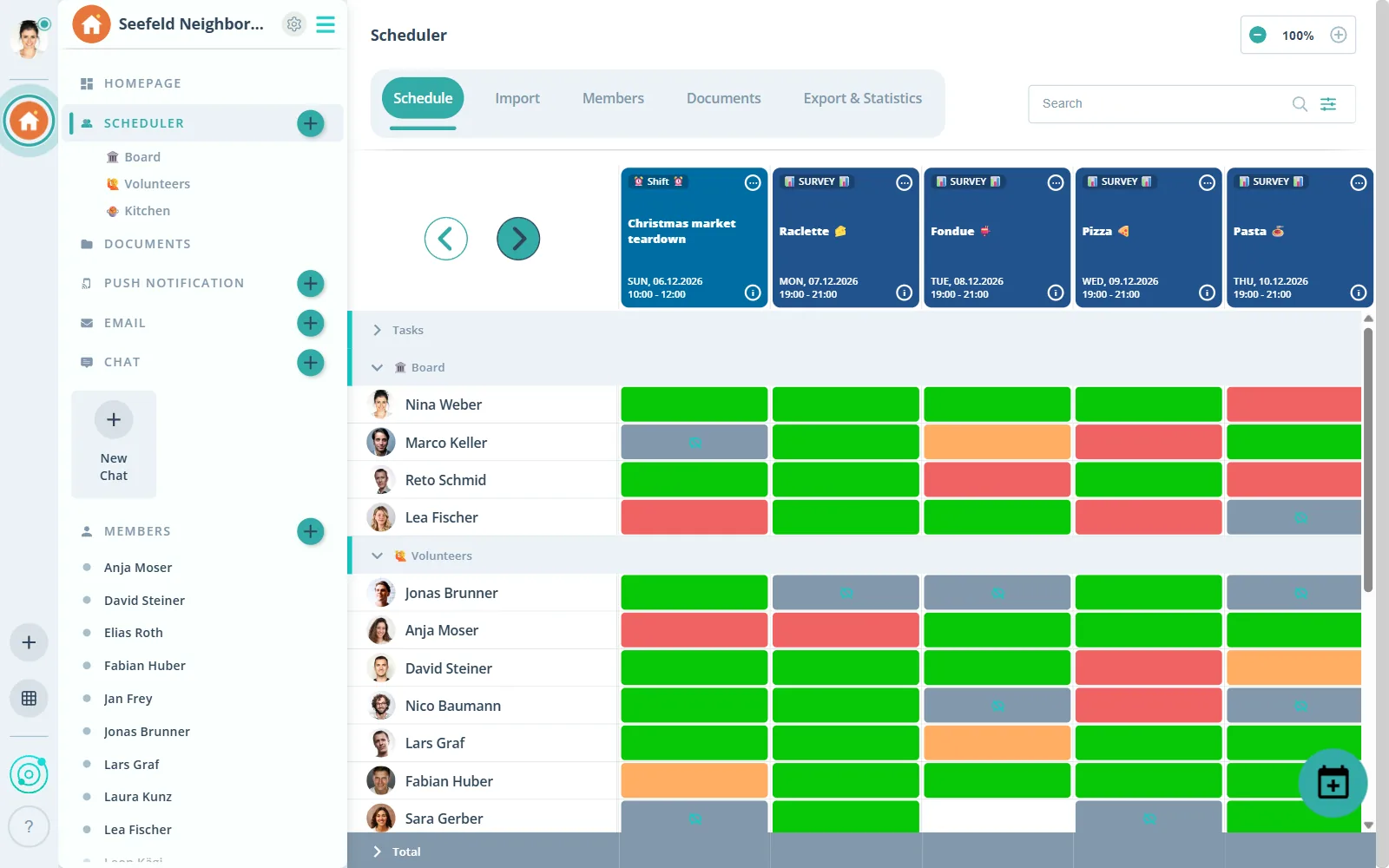
Raclette, fondue or pizza? The board lets the volunteers vote and orders what wins.
Gumb for hobby and community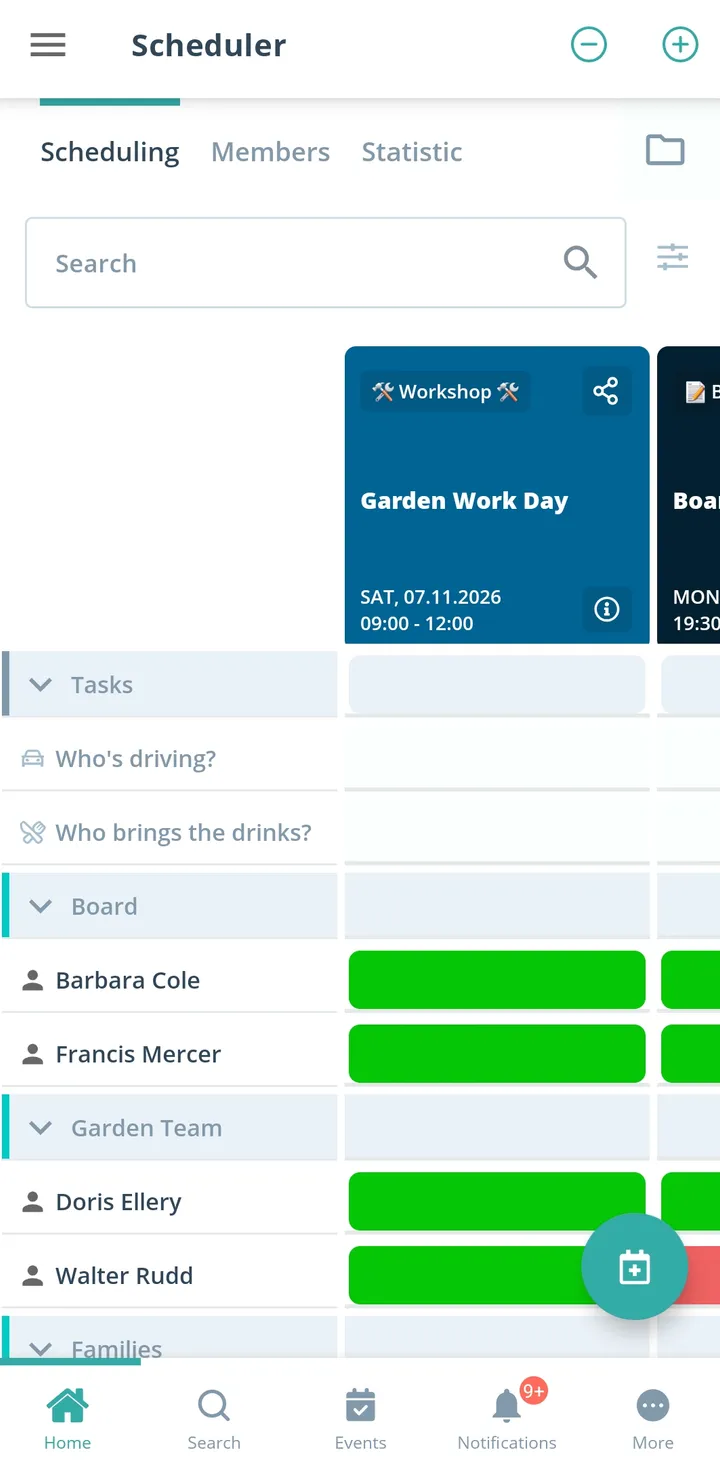
Polls and votes
A yes/no question, a choice between several options or a date that works for everyone. Everyone answers like for any event, and you see the result live in the Scheduler.


In short
With polls you ask everyone a question in Gumb, without an extra tool. Every poll is an event of the event type SURVEY 📊: a yes/no question, a vote on several options or a date finder. Members answer in the app or in the browser with I'll join or I won't attend. You see the result live in the Scheduler, per person and per group. Polls are included in every plan.
Live in the Scheduler
Before
With Gumb
As an admin, in the Scheduler.
In the Scheduler, click the calendar icon at the bottom right.
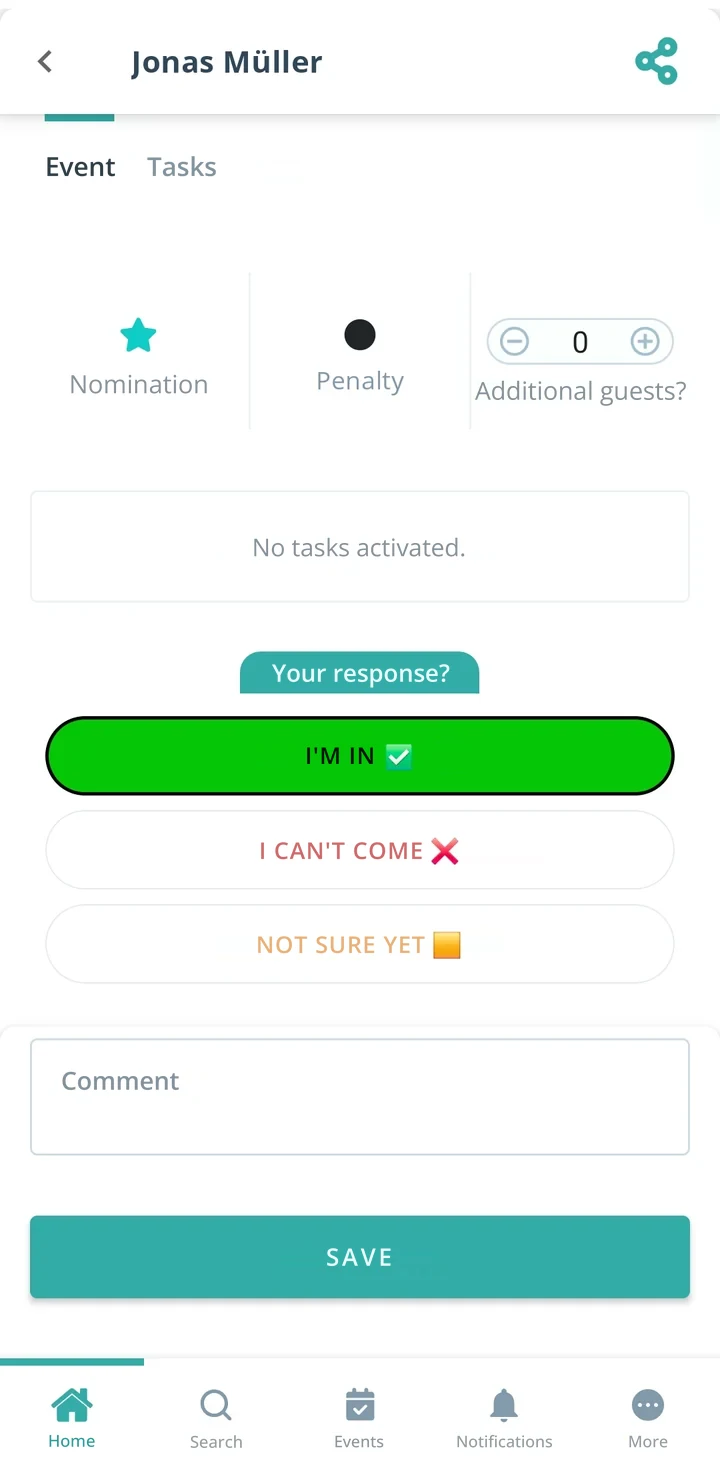
The question as the event name, the event type SURVEY 📊 and the meaning of the answers in the description.
After creating it, write a short message and send it.
Step by step, with screenshots from the app.
All in the Scheduler you already use.
One event, one question. I'll join means yes, I won't attend means no.
Each option gets its own tile. Everyone says yes to every option that suits them.
One event per possible day, created as a series in one step.
Green, red or gray per person, plus the yes votes per group.
A message to all when you create it, later a push, an email or the event link.
After the deadline nobody can answer anymore, and the poll is closed.
The same poll, four everyday examples.
Raclette, fondue or pizza? The board lets the volunteers vote and orders what wins.
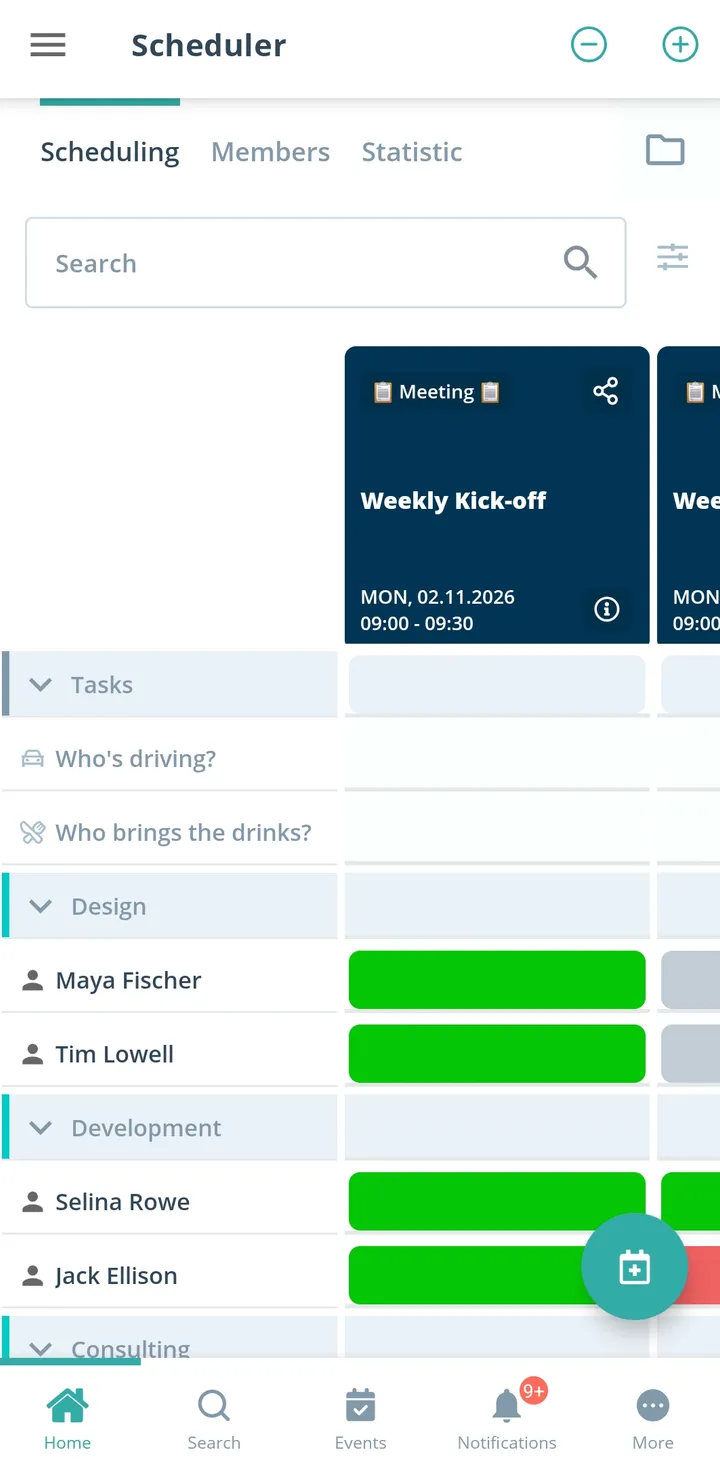
Gumb for hobby and communityEvery possible day becomes a tile. The team says yes where it can, and the coach sees the best day.
Gumb for sports and recreation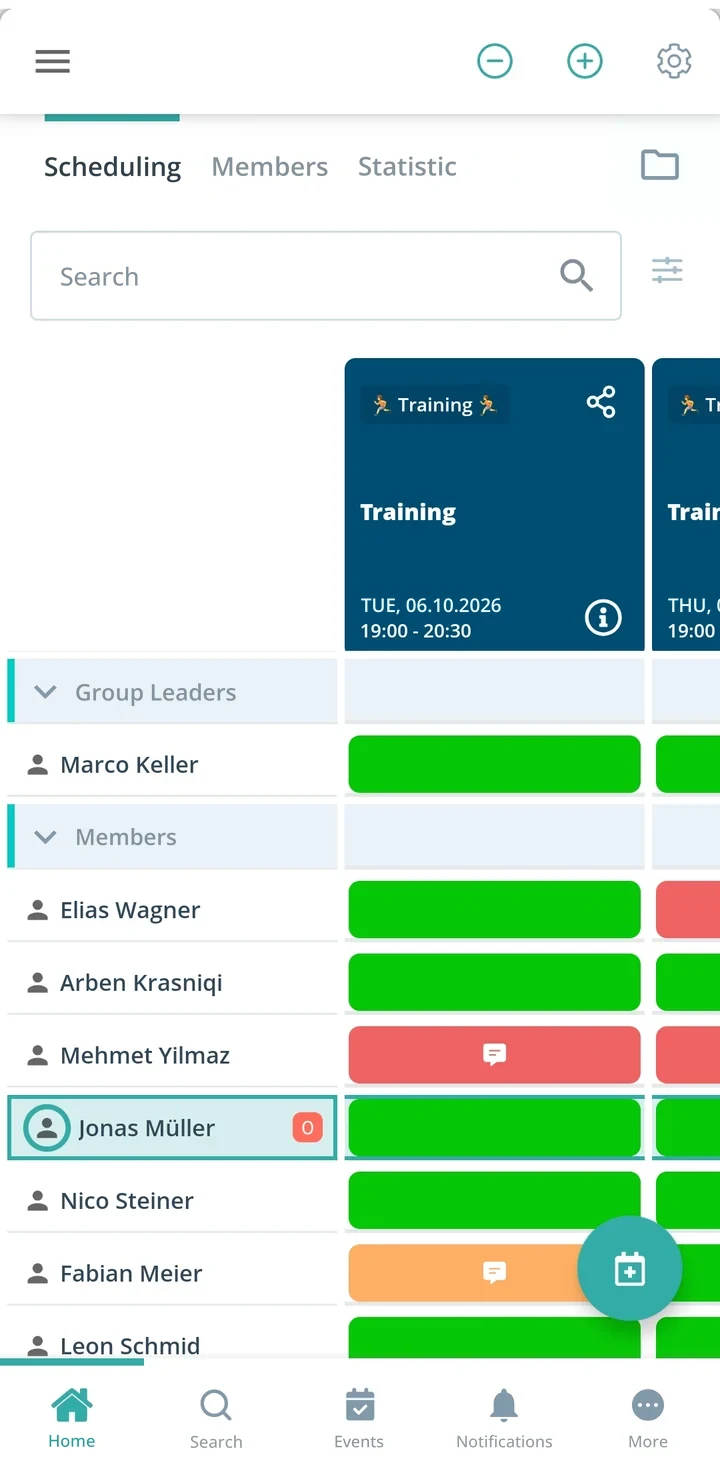
Do we sing at the Christmas market? One yes/no question, and the board knows who is in.
Gumb for music and arts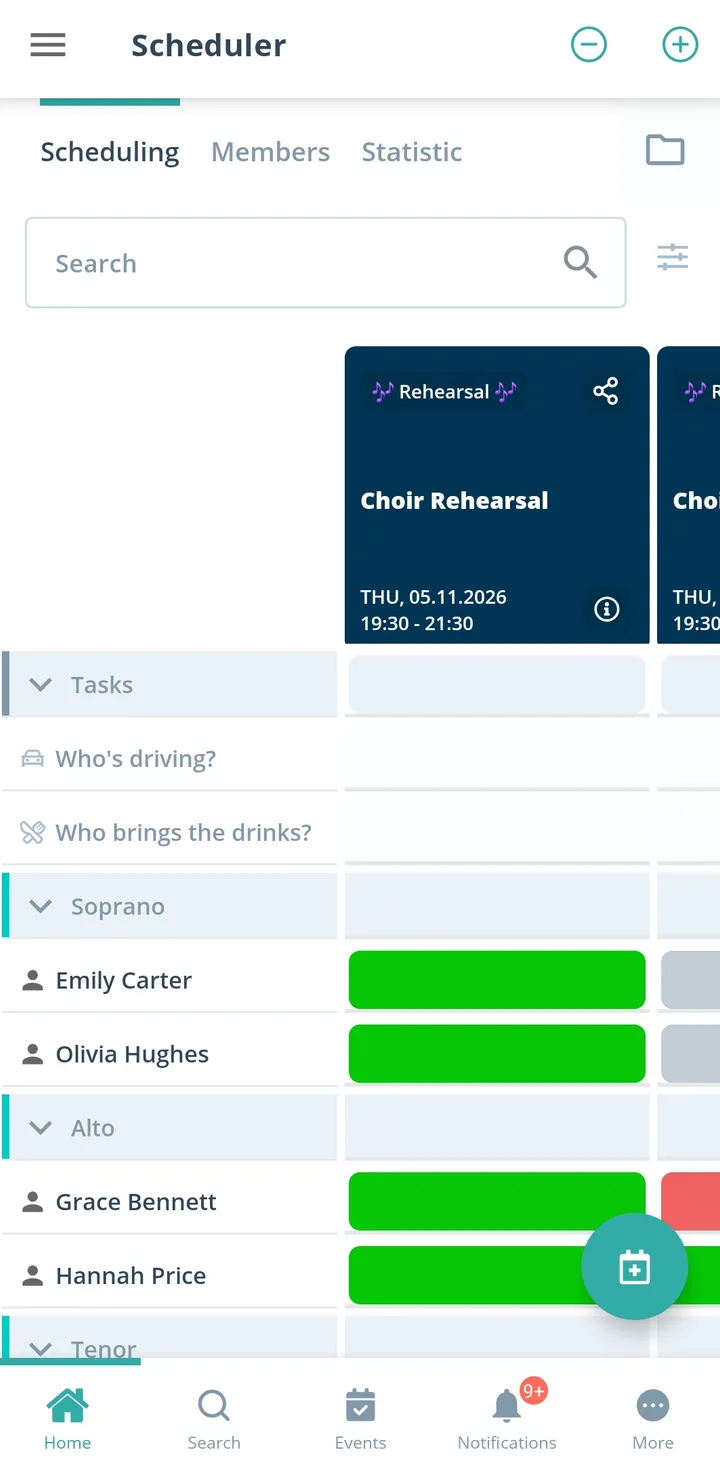
Yes, for groups that vote regularly. In Gumb, a poll is an event of the type SURVEY 📊: everyone answers like for any event, and the result shows live in the Scheduler. For a one-off poll with people outside the group, Doodle stays simpler, because in Gumb everyone needs an account.
Three: a yes/no question with a single event, a vote on several options with one event per option, and a date finder with one event per possible day.
You create an event of the type SURVEY 📊 and repeat it daily until the series has as many days as options. Then you rename each tile with This event, for example to pizza, pasta and salad bar. Everyone says yes to every option that suits them.
You create a series of the type SURVEY 📊 with one event per possible day. Everyone says yes on the days they can make it. The Scheduler shows you right away which day has the most yes votes.
In the Scheduler: green means yes, red means no, gray means not answered yet. Click a tile to see the number of yes votes and how they split across your groups. Everyone invited sees the same result.
No. Like for any event, every invited member sees who answered what. The poll is not meant for an anonymous or secret ballot.
Yes. Create the poll in Gumb and send a push message to everyone who hasn't answered yet. The result stays with the event and doesn't get lost in the chat.
To get a sense of the room, yes. For formal elections, no. Gumb shows who voted how and has no secret ballot. Hold elections under your bylaws at the meeting itself.
With a registration deadline. After it, nobody can answer anymore. Once the result is clear, delete the other tiles and give the remaining event the right event type.
No. Polls are included in every plan. The organization pays from $149, €149 or CHF 149 a year, and members use Gumb for free.
Try Gumb free for 2 months with the full feature set. No credit card, no automatic renewal.