FAQs
Who sees my responses and comments? 👀
Everyone invited to the same event sees your response and your comment, and so do the admins and the owner of your community. People who aren't invited see neither the event nor your response.
Who sees my response?
- Invited members see your response as a color in your cell in the Scheduler.
- Group leaders see the responses in their group and can change them.
- Admins and the owner see every event and every response, even without an invitation, and can respond for you.
Who has which role is explained in Roles and permissions 🛂.
Who sees my comment?
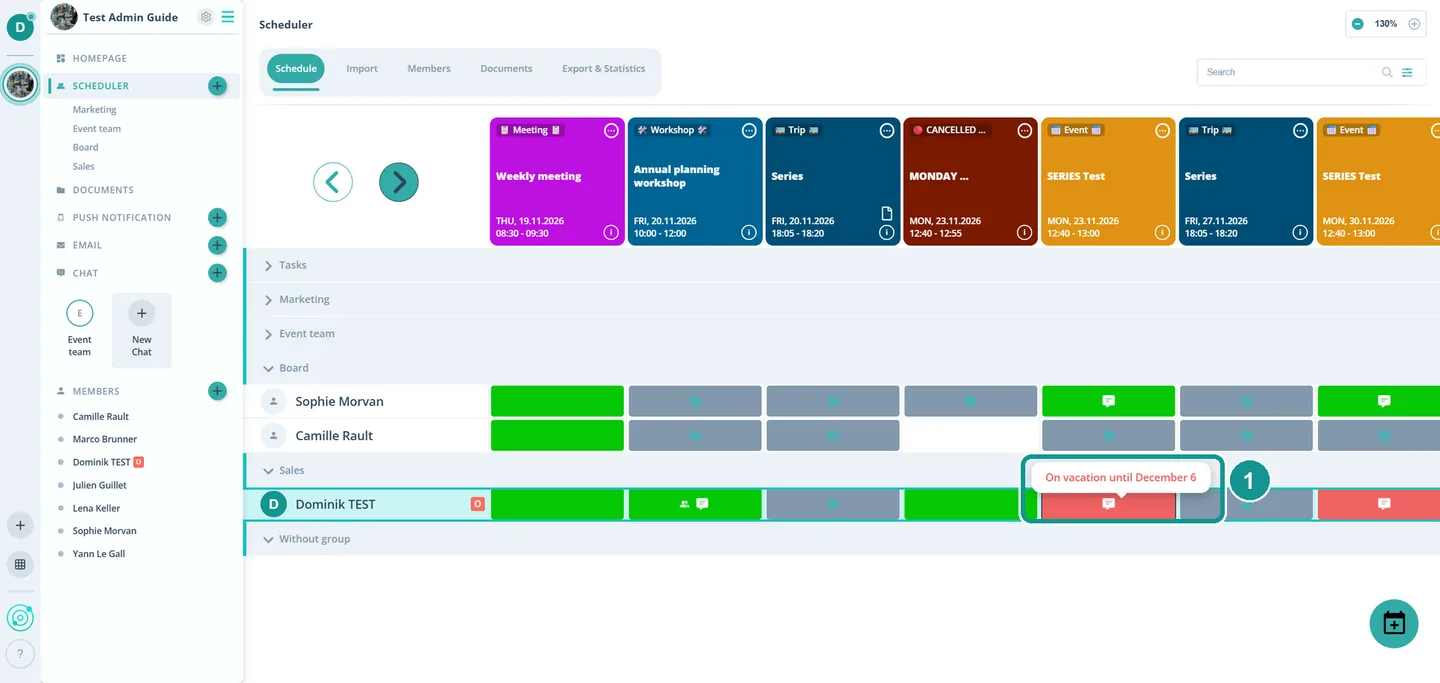
The same people who see your response. A speech bubble in your cell shows that you left a comment. On a computer, people read it by moving the mouse over the bubble (1). Anything only your leaders should know is better told to them directly.
Do other groups see my response?
No, only if they're invited to the same event. An event in a group scheduler is visible only to the members of that group, its group leaders and the admins.
Can I hide my response?
No. There's no setting that hides responses or comments from other invited people.
Why is my cell gray?
You're invited but haven't responded yet. Gumb calls this Awaiting. Tap the cell, pick your response and save. A white cell means the person isn't invited and doesn't see the event.