
FAQs
Order of members? 🔄
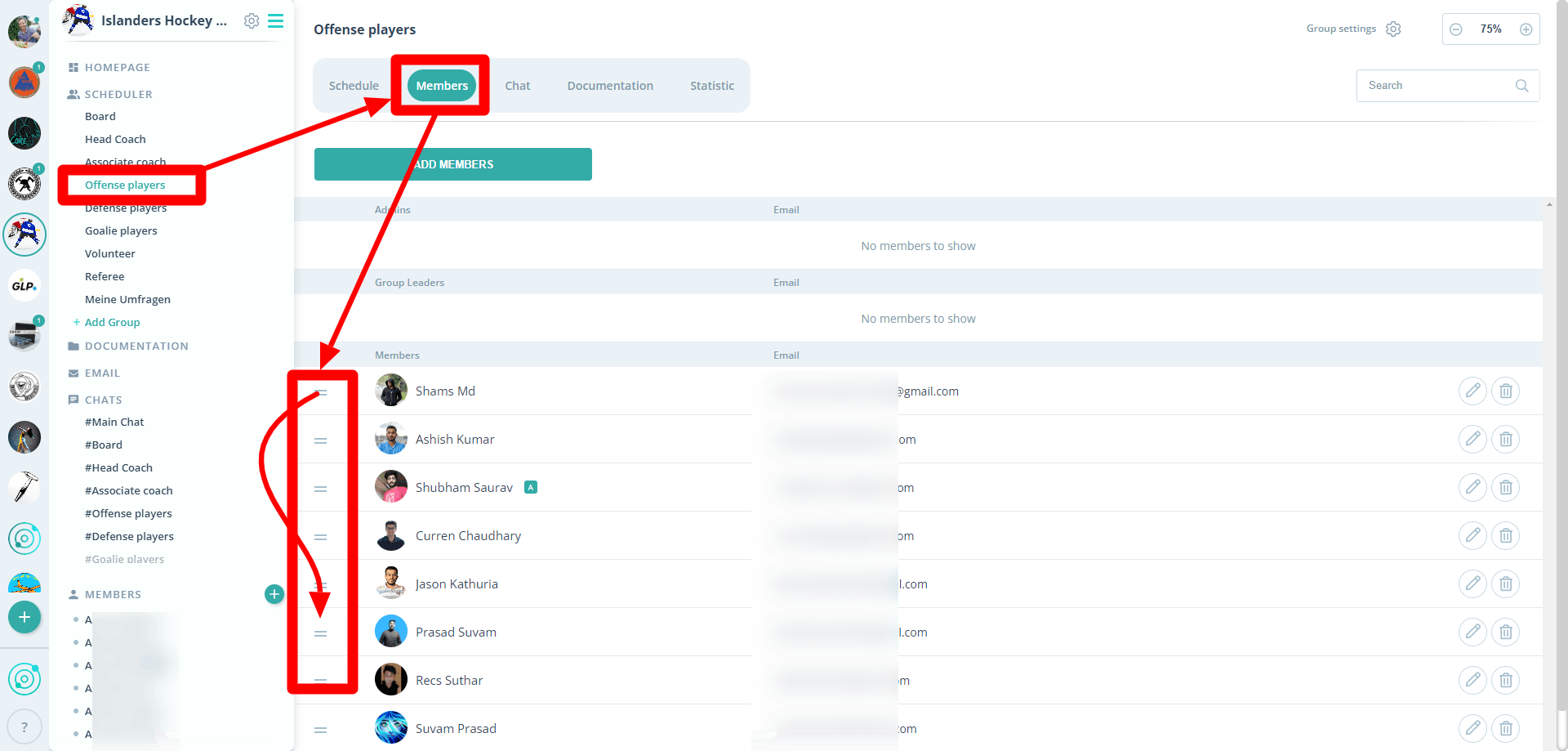
🔄 How to Adjust Member Order:
With just a few clicks to perfect organization: Here's how you change the order of members in groups, which is then automatically updated in the Scheduler.
👥 Sorting Within a Group:
- Select a group and open the "Members" tab.
- Adjust the order using the slider.
- After moving members, refresh the page to see the new order. This change will be reflected both in the group and in the Scheduler.
💻 Availability of the Sorting Function:
- The sorting function is currently available only in the web version.
- Synchronization with Android and iOS devices will happen automatically.
📅 Note for Scheduler Users Without Groups:
- If no groups exist and only the Scheduler is used, an A-Z sorting will be displayed.
- Direct sorting in the Scheduler is not currently possible.
If you have any questions or need assistance, please contact us through our contact form.