
Event · Helpers · Shift
The app for helper shifts for event organizers
Plan events, tournaments and home games, assign helpers to setup, cashier and catering, and see right away where someone is missing. For organizers, event agencies and stadium operations, without spreadsheets.
- iOS, Android & web
- No feature upgrades needed
- No credit card needed




In short
Gumb is an app for helper shifts at events, tournaments and home games. You set up the event as an event and the shifts such as setup, cashier or catering as tasks, helpers sign up themselves, and you see right away where someone is missing. Changes reach everyone by push notification and email, and every team plans in its own group scheduler. Gumb does not sell tickets and does not run payroll.
One price for the whole team
You pay per team, not per person. Helpers never pay.
Gumb Pro, every feature
149 CHFa year
for up to 100 people in the team
Same price for:
- 10 people
- 30 people
- 50 people
- 100 people
With 100 people that is about 1.50 Swiss francs per person a year.
Many scheduling tools bill per employee and month. In return they also track working hours and prepare payroll, which Gumb does not.
More than 100 people? Premium comes in tiers, and every community adds 100 helpers. Current prices in your currency are on the pricing page.
See all pricesWhat the export looks like
Gumb has no time tracking. You export attendance to Excel and continue there.
Example: attendance report
Sample data| Date | Activity | Start | End | Duration (min.) | Person | Role | Reply |
|---|---|---|---|---|---|---|---|
| 09/04/2026 | Early shift | 7:00 am | 3:00 pm | 480 | Example A. | Participant | going |
| 09/04/2026 | Early shift | 7:00 am | 3:00 pm | 480 | Example B. | Leader | going |
| 09/05/2026 | Late shift | 2:00 pm | 10:00 pm | 480 | Example A. | Participant | not going |
| 09/05/2026 | Late shift | 2:00 pm | 10:00 pm | 480 | Example C. | Participant | unsure |
| 09/06/2026 | Weekend | 9:00 am | 1:00 pm | 240 | Example B. | Leader | going |
Invented sample data, no real people. You find the export in the scheduler under Statistics.
Attendance report
One row per person and event
Date, activity type, start, end, duration in minutes, location, person, role, weekday, organizer, reply, roster, penalty and two free text fields.
Event calendar report
One row per event
Event name, date, invited, replies received, response rate, going, not going, unsure, info only, additional guests, accepted tasks and the comments per person.
How to calculate it in Excel
- Bill hoursAttendance report, filter the role "Leader", sum the duration per person, divide by 60, multiply by the hourly rate.
- Attendance rate per personNumber of yes replies divided by number of events, as a pivot by person or group.
- Find events with weak repliesEvent calendar report, sort the response rate column.
- Share assignments fairlyCount accepted tasks per person to see who took a task how often.
- Guest count for the eventSum the yes replies plus additional guests.
- Keep an eye on declinesCount the replies "not going" and "unsure" per person and month.
From helper list to a fully staffed schedule
What costs organizers time at every event, and how Gumb fixes it.
Without Gumb: You collect helpers by message, phone and spreadsheet.
With Gumb: Helpers sign up for their shift themselves in the app or in the browser.
Without Gumb: You only notice at the event where someone is missing.
With Gumb: You see for every shift whether it is covered and collect missing replies with reminders.
Without Gumb: A cancellation right before the event throws the plan off.
With Gumb: You inform people in a targeted way by push notification and see who says yes as a replacement.
Without Gumb: The schedule lives in ten chats and three files.
With Gumb: Event, tasks, notes and chat are in one place.
Events, shifts and helpers under control
Shift schedule, RSVPs and changes, in the app and in the browser.
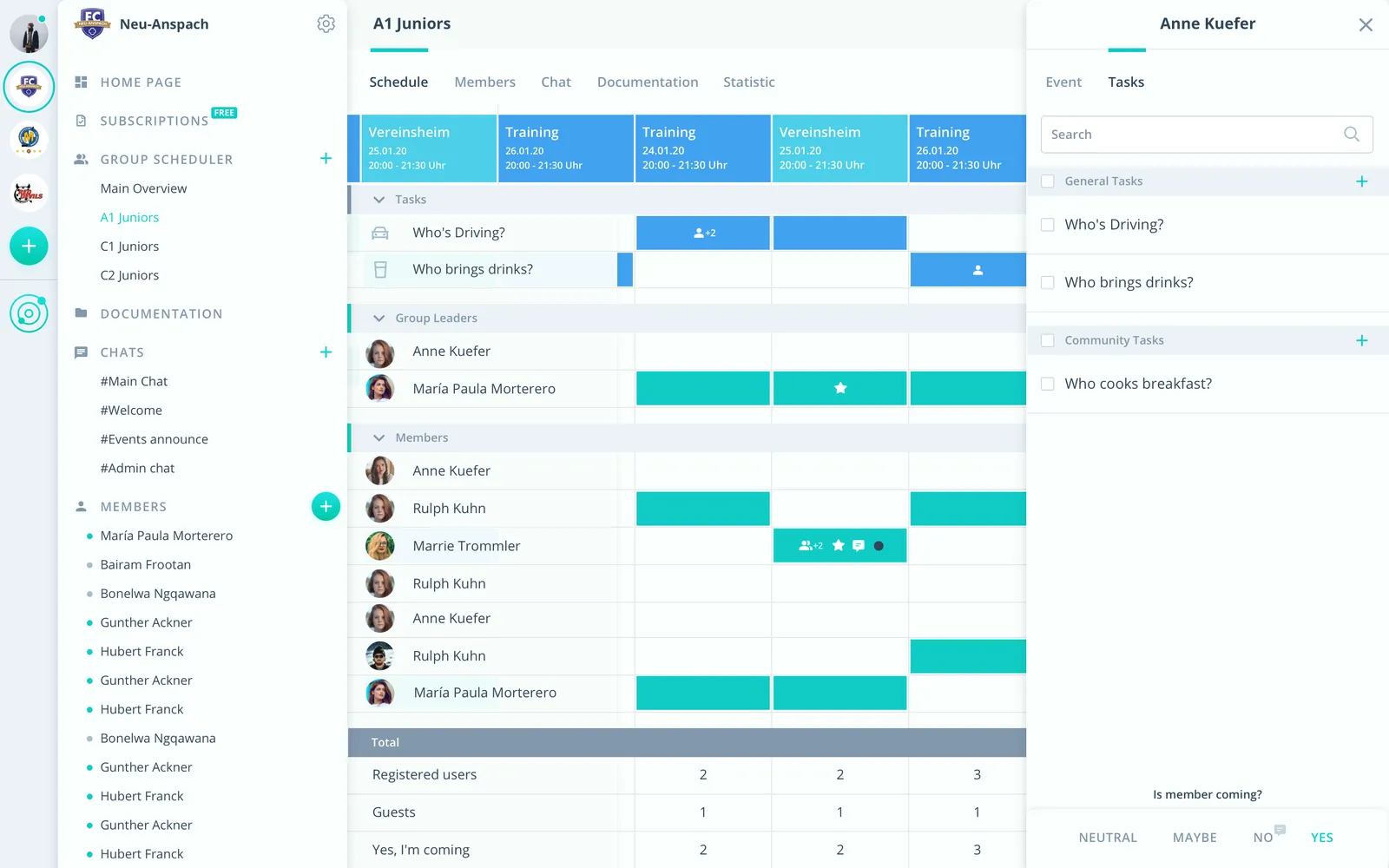
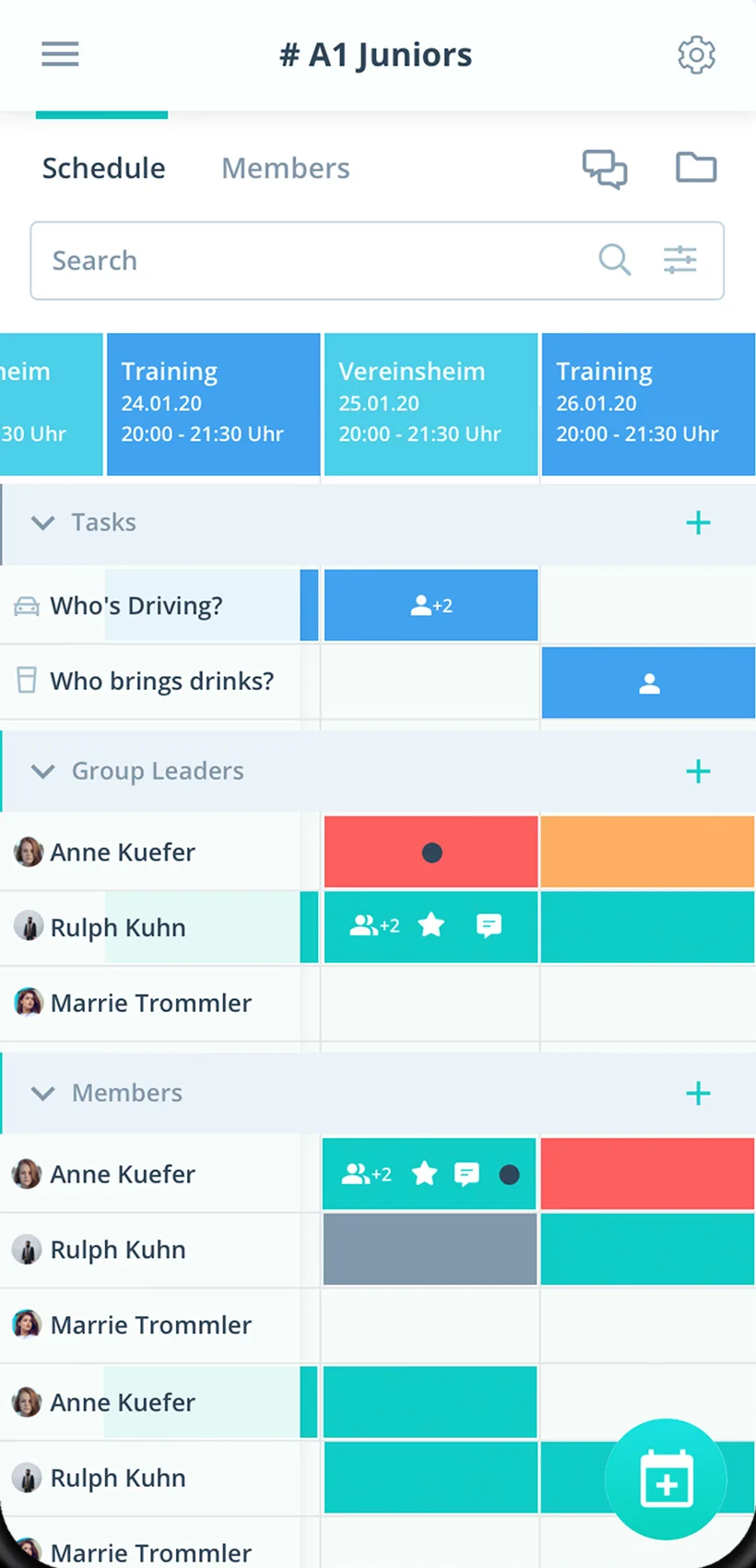
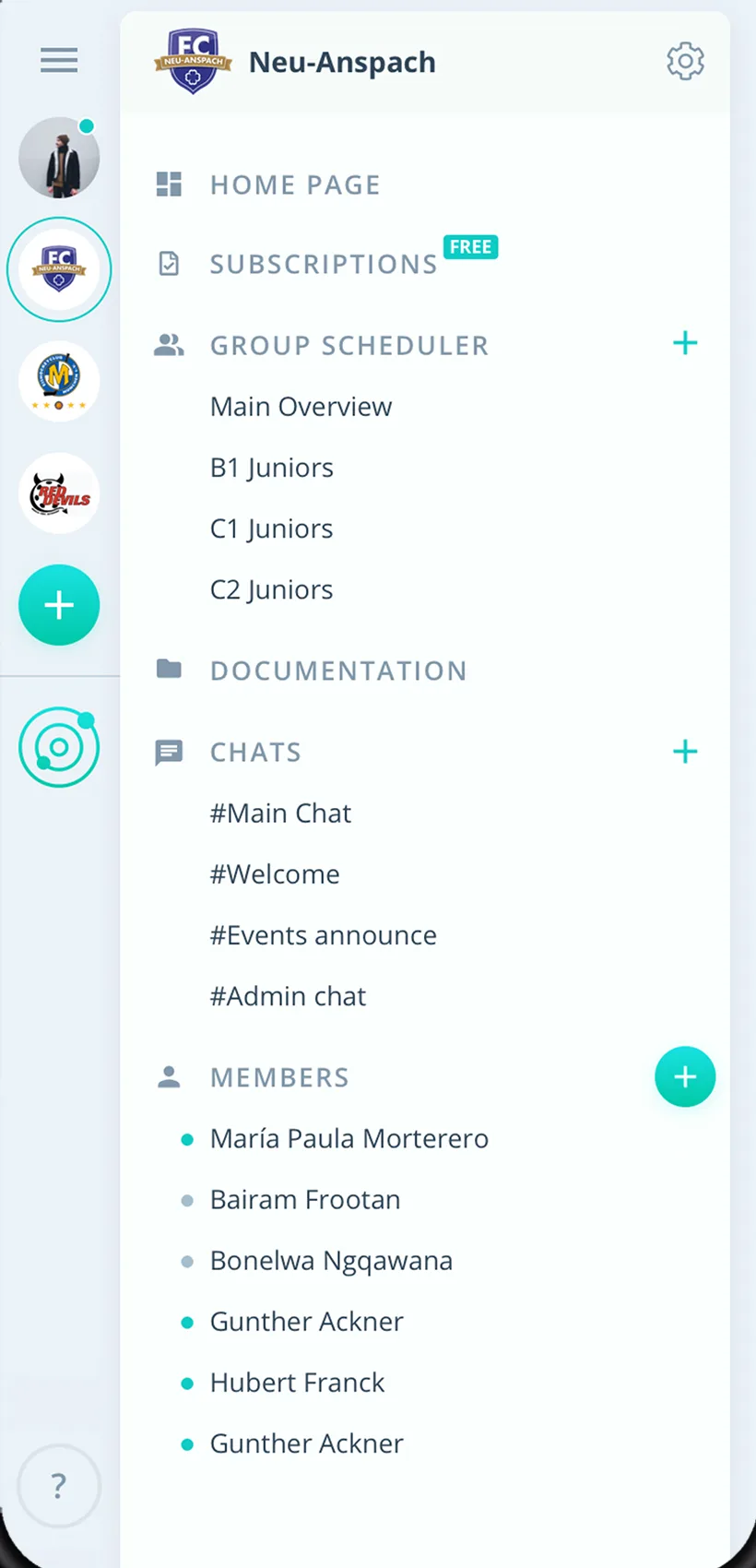
Shifts as tasks
Setup, cashier or catering as tasks on the event, helpers sign up themselves.
See who is missing right away
For every shift you see live who said yes and where someone is still needed.
Teams kept apart
Every team, hall and event with its own group scheduler.
Everything for your helper shifts
For organizers, helper coordinators and helpers. From the fair to the home game.
Events in the calendar
Events and home games as events, also as a recurring series.
Shifts as tasks
Setup, cashier, catering or crowd control as tasks on the event.
RSVPs with a deadline
Helpers say yes or no by the sign-up deadline, and up to two reminders collect replies.
Fixed assignments with a star
After the poll, the star marks who takes the shift.
Changes to everyone, instantly
Push notification and email to everyone affected, even when the app is closed.
Chat at the event
Notes about the shift right on the event instead of in private chats.
Run of show and checklists
Schedules and checklists in the team folder.
Teams kept apart
Every team or event with its own group scheduler.
Permissions for coordinators
Admins manage everything, group leaders plan their team.
How your team starts with Gumb
From the first event to the first fully staffed schedule.
- 1
Set up the event
Enter the event as an event and invite helpers with an invitation link.
- 2
Assign shifts
Create setup, cashier or catering as tasks, helpers sign up.
- 3
Close the gaps
See where someone is missing and remind people or ask for a replacement.
For everyone at the event
Organizers
- All shifts in one place
- See gaps early
- Changes to everyone instantly
Helpers
- Say yes or no with one click
- Own shifts in the personal calendar
- Notes on the event
Helper coordinators
- Assign shifts without individual requests
- Fixed assignments with a star
- Attendance as an Excel file
What companies and clubs say about Gumb
4.7/54.7 out of 5 stars271 ratings across both platforms25K+ users
We use this system in our aid organization and at work. We are very happy with it, as we had been looking for a working and reliable system for a long time. The app offers many options, including staff and equipment management, and above all makes our work easier. Simply recommendable. A clear 5-star rating
Gumb
Great app!
Great app, works even for very large clubs. Highly recommended.
Reviews translated from German.
Event organizers and event teams that use Gumb
 Swiss Indoors Basel
 EVZ Sicherheit
 Rambaud Events
 Brasilianos Churrasco Catering
 EHC Kloten Stadionorganisation
 Tonhalle Wil Platzanweiser
 KiBuMä Meineringhausen
Frequently asked questions about helper shifts
How do I plan helpers for a tournament or fair?
Set up the event as an event and the shifts as tasks, for example setup, cashier or catering. Helpers sign up themselves, and you see where someone is still missing.
How do I assign shifts for setup, cashier and catering?
Every shift is a task on the event. Helpers take the task, and you mark fixed assignments with the star. That way you see for every shift whether it is covered.
How do I find a replacement quickly when someone cancels?
You see the cancellation on the event right away and inform people in a targeted way by push notification or email. Whoever can step in says yes with one click.
How do I organize crowd control and home games?
Every home game is an event, and crowd control is a task on it. You set up recurring home games as a series, and the team sees its shifts in the app and in the personal calendar.
What do I need when 100 helpers work over a weekend?
One group per team and tasks per shift. Gumb Pro covers up to 100 helpers, with every feature. Admins see everything, group leaders plan their team.
How do I remind helpers of their shift?
You send reminders on the event, up to two per event. Changes reach everyone as a push notification or email.
How does everyone hear about short-notice changes?
You change the event, and Gumb asks whether to send notifications. Push notification and email reach everyone affected, even when the app is closed.
Does Gumb sell tickets or run payroll for helper shifts?
No. Gumb does not sell tickets and has no time tracking or payroll. Whoever needs hours exports attendance from the statistics as an Excel file.
How do we review the shifts after the event?
You open the statistics in the scheduler and export the attendance report or the event calendar report as an Excel file. The event calendar report shows RSVPs, declines and accepted tasks per event.
How do helpers join us without me creating everyone individually?
You send an invitation link. Helpers create an account and see their events in the app and in the browser.
How long can I try Gumb?
2 months free, with every feature, no credit card and no automatic renewal.
Ready for the next event?
Try Gumb with your helper team free for 2 months, with every feature, no credit card and no automatic renewal.